
UAV Multimodal Large Model and Groundingdino Basic Practices
The drone multimodal large language model utilizes the Deepseek large language model and Grounding DINO’s multimodal open recognition capabilities to form a closed loop of self-perception and autonomous behavior. The main technologies are as follows:
- Grounding DINO is a large-scale open recognition model that can return labels and location information of various objects in the environment.
- Deepseek processes user inputs based on prompts and autonomously generates code for the drone to execute, completing relevant tasks.
The tutorial assumes you are familiar with the basics of Python.
If you have no prior knowledge, you can also refer to other tutorials of datawhale, such as happy-llm.
I. Environment and Basics Used
1. Windows
2. Use Python 3.10 or later
3. torch
4. GroundingDINO
Installation reference link: https://github.com/IDEA-Research/GroundingDINO?tab=readme-ov-file
Cloned the GroundingDINO project from GitHub
pythongit clone https://github.com/IDEA-Research/GroundingDINO.git
Enter the GroundingDINO folder
pythoncd GroundingDINO/
Install the required dependencies in this folder
pythonpip install -e .
Download pre-trained model weights
pythonmkdir weights
cd weights
wget -q https://github.com/IDEA-Research/GroundingDINO/releases/download/v0.1.0-alpha/groundingdino_swint_ogc.pth
cd ..
5. Airsim Environment
The Airsim environment can directly run the House.exe file in env.
Download path https://huggingface.co/datasets/Datawhale/house_win
6. Gradio Installation
It can be installed directly using pip.
pythonpip install --upgrade gradio
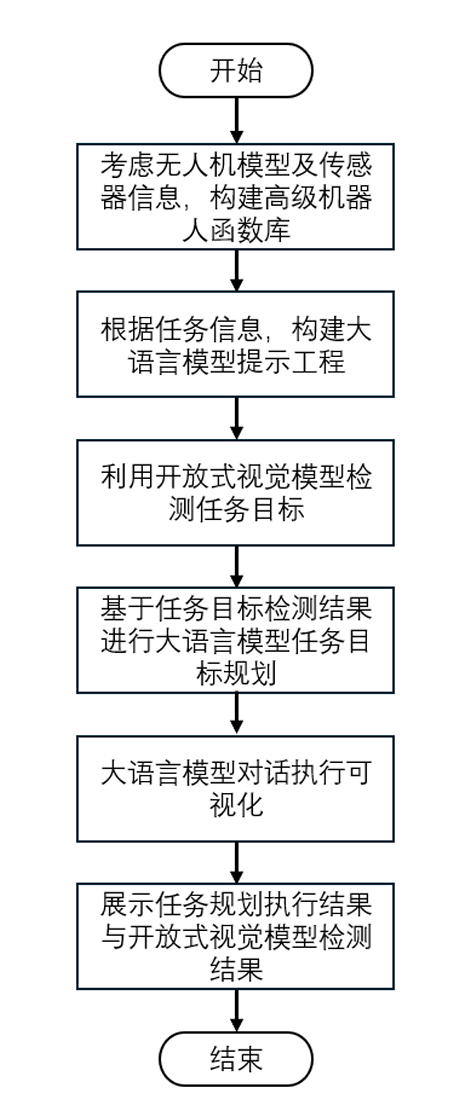
II. Overall Project Framework
- A drone function library was defined.
- Task descriptions and drone control were performed using prompt engineering of large language models to complete specified tasks.
- Open-ended object detection was carried out using GroundingDINO to identify objects required for the task.
- A web visualization for dialogue execution of large language models was implemented.
III. Detailed Explanation of Code
pythonparser = argparse.ArgumentParser()
parser.add_argument("--prompt", type=str, default="prompts.txt")
parser.add_argument("--sysprompt", type=str, default="system_prompts.txt")
args = parser.parse_args()
Import the defined drone skill library and system prompts to serve as basic prompt engineering for later import into the large language model. The robot functions defined in the file are as follows:
pythonaw.takeoff():起飞无人机。
aw.land():无人机着陆。
aw.get_image():从代理的前置摄像头渲染图像
aw.get_drone_position():以与 XYZ 坐标相对应的 3 个浮点数的列表形式返回无人机的当前位置。
aw.turn(angle):将机器人转动给定的度数,angle就是度数
aw.move(distance):将机器人直线向前移动给定的距离(以米为单位),distance就是距离。
aw.ob_objects(obj_name_list):得到环境中观测到物体的名称,角度和距离,以[(对象名称1,距离,角度), (对象名称1,距离,角度), ...] 列表的形式返回值,从而向提供场景中的对象, 其中角度以度为单位,obj_name_list = ['yellow duck', 'coca cola','mirror','flower']。
在执行aw.ob_objects(obj_name_list)前需要先执行get_image()获取图像信息。
Use the deepseek API to call the deepseek large language model. Replace ‘your-key’ with your own api-keys, and you can obtain it via the following URL: https://platform.deepseek.com/api_keys
pythonclient = OpenAI(api_key="your-key", base_url="https://api.deepseek.com", http_client=httpx.Client(verify=False))
with open(args.sysprompt, "r", encoding="utf-8") as f:
    sysprompt = f.read()
The following is the critical code for the large language model. The client defined above is used to perform inference and output of the large language model. In model="deepseek-chat", deepseek-chat can be replaced with other models in deepseek.
pythondef ask(prompt):
    chat_history.append(
        {
            "role": "user",
            "content": prompt,
        }
    )
    completion = client.chat.completions.create(
        model="deepseek-chat",
        messages=chat_history,
        temperature=0
    )
    chat_history.append(
        {
            "role": "assistant",
            "content": completion.choices[0].message.content,
        }
    )
    return chat_history[-1]["content"]
According to the content in prompt.txt, it is as follows:
python问题:可以向我提出一个澄清问题,只要明确指出“问题”即可。

代码:
python
    这里输出达到预期目标的代码命令。

原因:输出代码后,应该解释为什么要这样做。
It can be seen that the prompt can also be used to constrain the output of large models. Since the output has been constrained, it is possible to customize the processing of the large model’s output by using the extract_python_code function.
pythondef extract_python_code(content):
    code_blocks = code_block_regex.findall(content)
    if code_blocks:
        full_code = "\n".join(code_blocks)

        if full_code.startswith("python"):
            full_code = full_code[7:]

        return full_code
    else:
        return None
Use Gradio for the visual output of large models.
pythonwith gr.Blocks() as demo:
    # gr.Markdown("# 无人机多模态大语言模型")
    gr.Markdown("""
                # 无人机多模态大语言模型

                无人机多模态大语言模型利用了Deepseek大语言模型+Grounding DINO的多模态开域识别功能,形成自我感知到自主行为的闭环。
                1. Grounding DINO为开放识别大模型,可以返回环境中的各种物体的标签以及位置信息。
                2. Deepseek根据Prompt处理用户输入,并自主生成无人机可执行的代码,完成相关任务。
                """)
    with gr.Row():
        with gr.Column():
            chatbot = gr.Chatbot()
            msg = gr.Textbox()
            clear = gr.ClearButton([msg, chatbot])
            def respond(message, chat_history):
                response = ask(message)
                bot_message = response
                chat_history.append((message, bot_message))
                code = extract_python_code(response)
                if code is not None:
                    print("Please wait while I run the code in AirSim...")
                    exec(extract_python_code(response))
                    print("Done!\n")
                # time.sleep(2)
                return "", chat_history
            msg.submit(respond, [msg, chatbot], [msg, chatbot])
        with gr.Column():
            img = gr.Image("datawhale.jpg")
            image_button = gr.Button("Display")
        image_button.click(display_image, inputs=img, outputs=img)

demo.launch()
IV. Execution Process
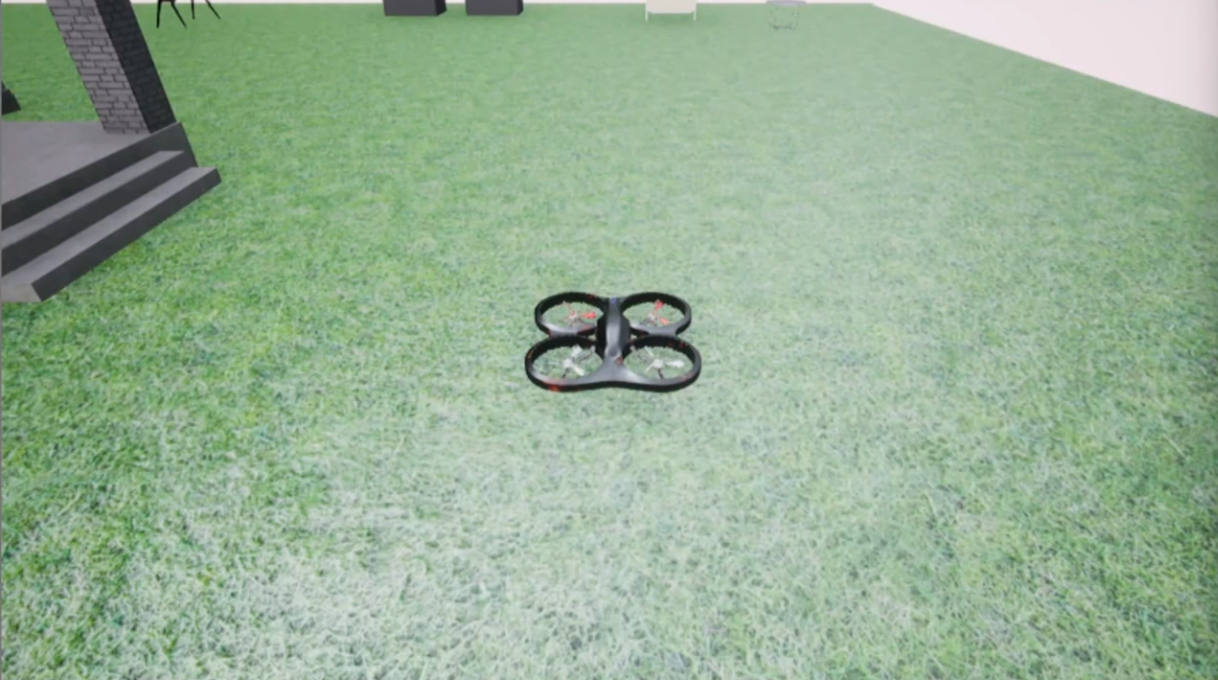
1. Run the house.exe file in env to open the environment
2. Run the main_gradio.py file
A link as follows can be obtained in the terminal. Open it with a browser.
pythonRunning on local URL: http://127.0.0.1:7860
To create a public link,set`share=True`in launch()
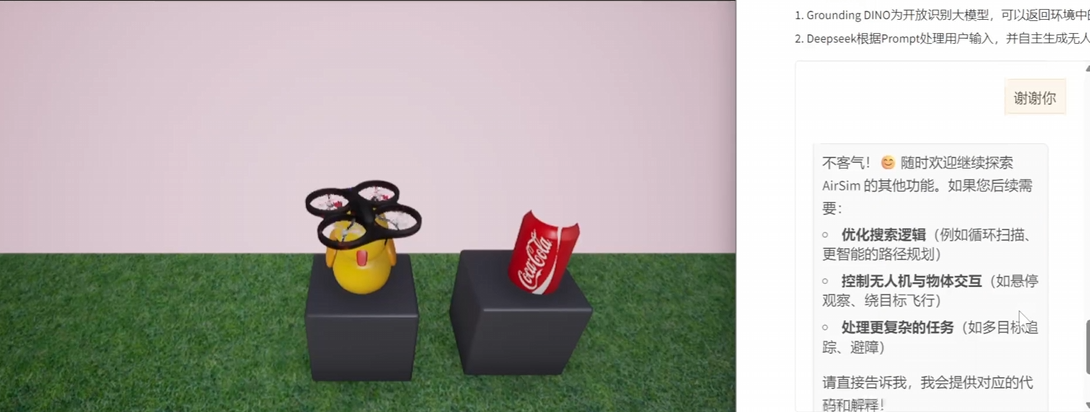
3. Enter the following 1)2)3) commands in the terminal to complete the related tasks
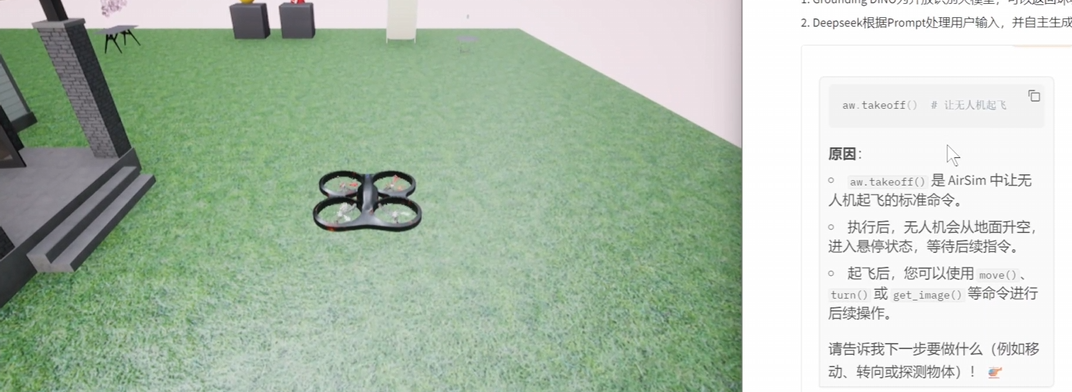
1) Please take off
Get the following output and automatically execute the output code.
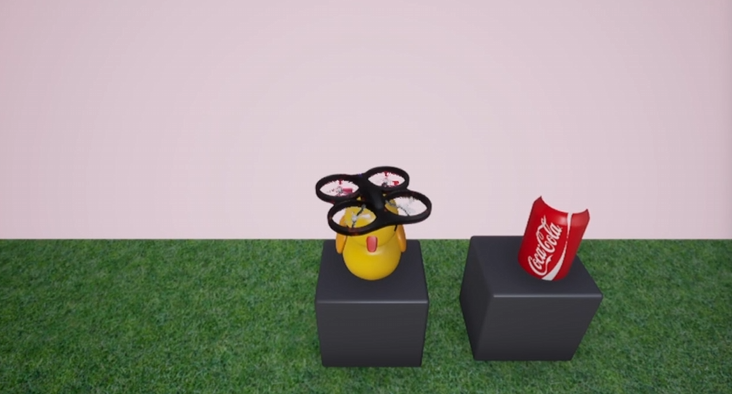
2) Please find the yellow duck and fly in front of it.
3) Thank you
5. References
- Reference paper: ChatGPT for Robotics: Design Principles and Model Abilities
- Environment reference: AIStudio (using the Wenxin large model to fly airplanes - multimodal perception large model)