
Prepare a power supply of 5V/5A to burn the image.
https://developer.d-robotics.cc/rdk_doc/Quick_start/hardware_introduction/rdk_x5
It can be used directly after burning, and connected to lerobot equipment.
Connect to Wi-Fi
bashnmcli dev wifi #查看列表
sudo nmcli dev wifi connect xxxxxx password xxxxxx #wifi名 和 密码
Bash# 下载并解压ARM64版本的micromambacurl -Ls https://micro.mamba.pm/api/micromamba/linux-aarch64/latest | tar -xvj bin/micromamba# 初始化shell./bin/micromamba shell init -s bash --root-prefix ./micromambaecho "alias mamba=micromamba" >> ~/.bashrcsource ~/.bashrcmamba create -y -n lerobot python=3.10mamba install ffmpeg -c conda-forgegit clone https://github.com/huggingface/lerobotcd lerobotgit fetch origingit checkout user/michel-aractingi/2025-06-02-docs-for-hil-serl

pip config set global.index-url https://pypi.tuna.tsinghua.edu.cn/simple
cd lerobot && pip install -e ".[feetech]"
Test robot connection port
Bashsudo chmod 666 /dev/ttyACM0sudo chmod 666 /dev/ttyACM1$ python lerobot/scripts/find_motors_bus_port.pyFinding all available ports for the MotorsBus.Ports before disconnecting: ['/dev/ttyACM1', '/dev/ttyACM0', '/dev/ttyprintk', '/dev/ttyS5', '/dev/ttyS1', '/dev/ttyS0', '/dev/ttyS7', '/dev/ttyS6', '/dev/ttyS4', '/dev/ttyS3', '/dev/ttyS2', '/dev/tty63', '/dev/tty62', '/dev/tty61', '/dev/tty60', '/dev/tty59', '/dev/tty58', '/dev/tty57', '/dev/tty56', '/dev/tty55', '/dev/tty54', '/dev/tty53', '/dev/tty52', '/dev/tty51', '/dev/tty50', '/dev/tty49', '/dev/tty48', '/dev/tty47', '/dev/tty46', '/dev/tty45', '/dev/tty44', '/dev/tty43', '/dev/tty42', '/dev/tty41', '/dev/tty40', '/dev/tty39', '/dev/tty38', '/dev/tty37', '/dev/tty36', '/dev/tty35', '/dev/tty34', '/dev/tty33', '/dev/tty32', '/dev/tty31', '/dev/tty30', '/dev/tty29', '/dev/tty28', '/dev/tty27', '/dev/tty26', '/dev/tty25', '/dev/tty24', '/dev/tty23', '/dev/tty22', '/dev/tty21', '/dev/tty20', '/dev/tty19', '/dev/tty18', '/dev/tty17', '/dev/tty16', '/dev/tty15', '/dev/tty14', '/dev/tty13', '/dev/tty12', '/dev/tty11', '/dev/tty10', '/dev/tty9', '/dev/tty8', '/dev/tty7', '/dev/tty6', '/dev/tty5', '/dev/tty4', '/dev/tty3', '/dev/tty2', '/dev/tty1', '/dev/tty0', '/dev/tty']Remove the USB cable from your MotorsBus and press Enter when done.通过拔掉对比拔掉之后,发现从臂是The port of this MotorsBus is '/dev/ttyACM0'主臂是The port of this MotorsBus is '/dev/ttyACM1'Reconnect the USB cable.
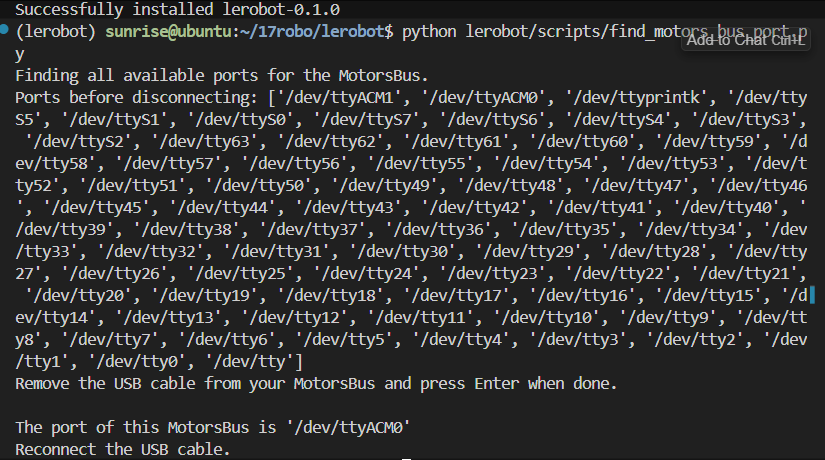
Now, you can update the port file:
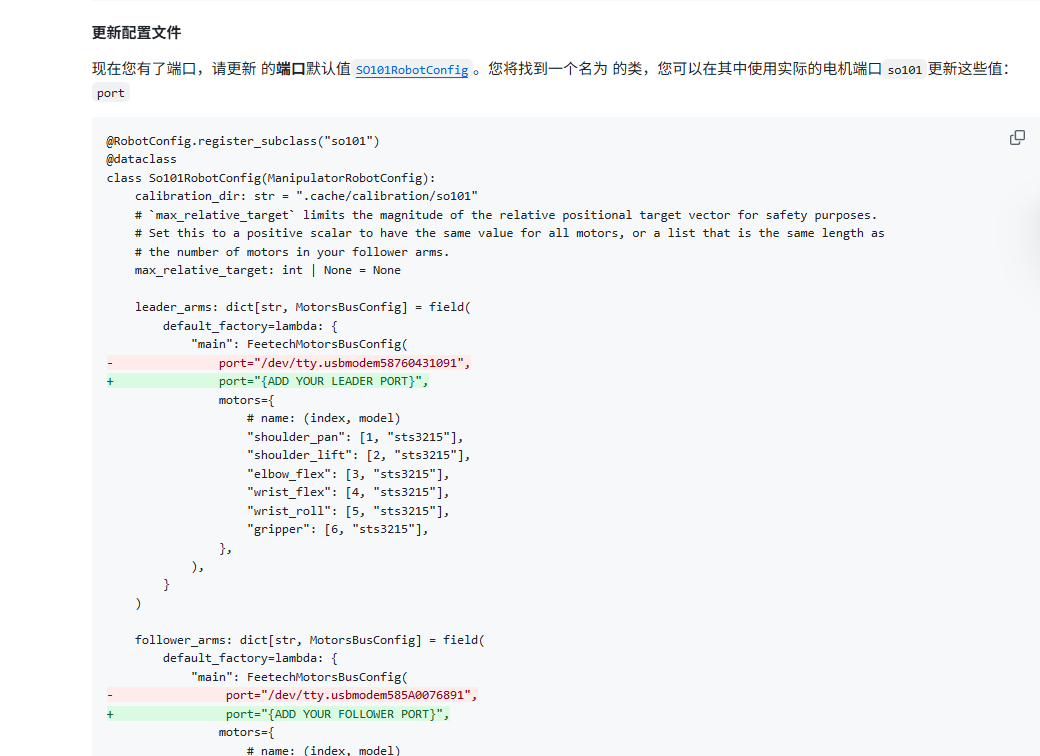
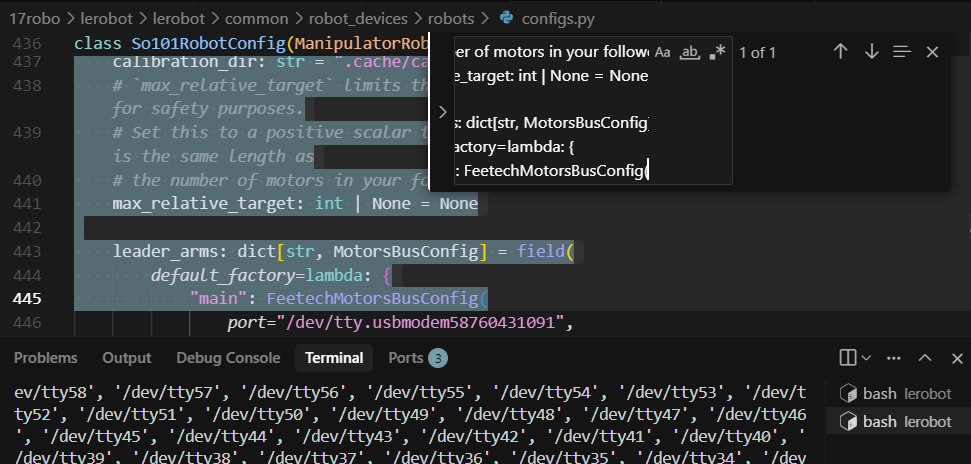
Bashls lerobot/common/robot_devices/robots/configs.py检索如下内容class So101RobotConfig(ManipulatorRobotConfig): calibration_dir: str = ".cache/calibration/so101" # `max_relative_target` limits the magnitude of the relative positional target vector for safety purposes. # Set this to a positive scalar to have the same value for all motors, or a list that is the same length as # the number of motors in your follower arms. max_relative_target: int | None = None leader_arms: dict[str, MotorsBusConfig] = field( default_factory=lambda: { "main": FeetechMotorsBusConfig(
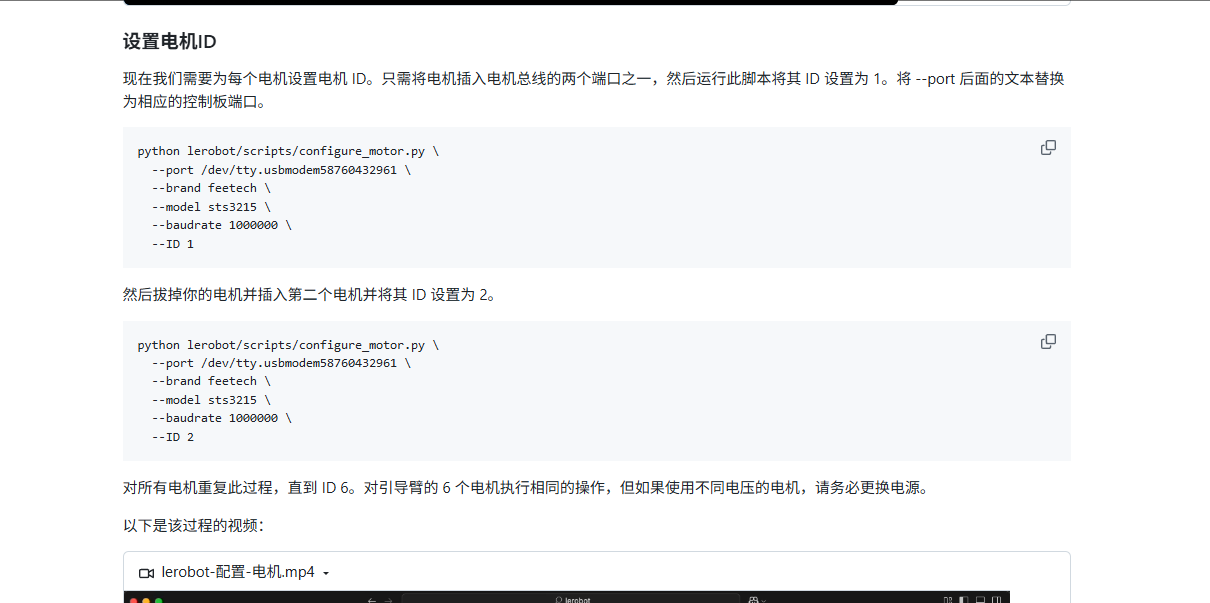
Bought the pre-installed version, no need to set the motor ID
Then, configure the alignment data for the main arm and secondary arm.
Bashpython lerobot/scripts/control_robot.py \ --robot.type=so101 \ --robot.cameras='{}' \ --control.type=calibrate \ --control.arms='["main_follower"]'
Just run the first command to complete both calibrations. Note that you need to adjust each item to the corresponding position and then press Enter to confirm.
Run this command. First calibrate the auxiliary arm, then calibrate the main arm.
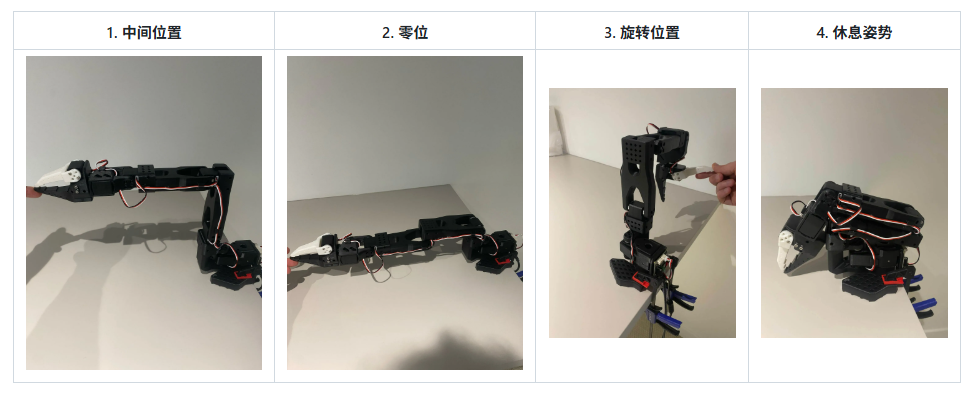
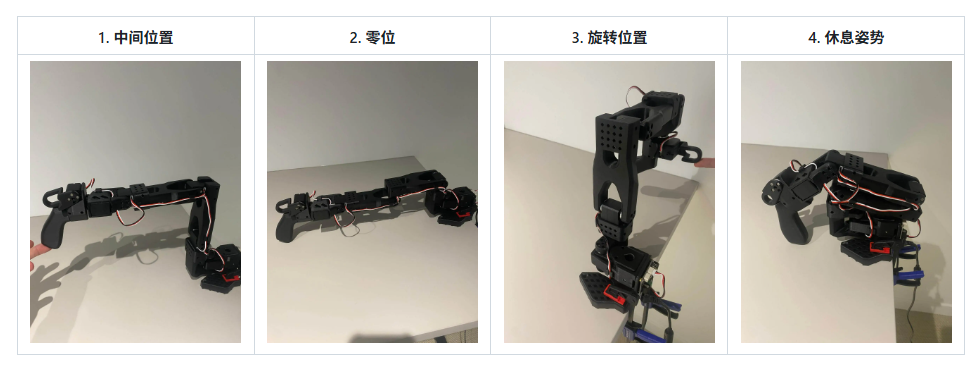
In this way, we can successfully complete the remote manipulation!
Bashpython lerobot/scripts/control_robot.py \ --robot.type=so101 \ --robot.cameras='{}' \ --control.type=teleoperate