
Reproduction of RL Training for Heterogeneous Robots with UniLab + MotrixSim
This chapter shows you how to run the UniLab MotrixSim backend and PPO training process successfully on a Windows laptop with 6GB of memory. The main focus of this experiment is robot state-based RL: the policy network reads the robot state, velocity commands, and historical observations, samples during CPU-side simulation, and then updates parameters via the GPU learner. Rendering is not the core method of this chapter; it serves only as a supplementary step for checkpoint verification, result display, and an experience of MotrixSim PBR.
The machine used in this test is an RTX 3060 Laptop 6GB, AMD Ryzen 7 5800H, with 64GB of memory. Finally, go2_joystick_flat + motrix + ppo was successfully implemented. The maximum tested configuration consists of 512 parallel environments and 100 training iterations, totaling 1,228,800 environment steps.
1. What problem does UniLab solve
The core idea of UniLab is to divide robot RL training into two parts: the CPU side handles large-scale physical simulation and data collection, while the GPU side is responsible for policy network learning. The significance of this approach is that it does not require a GPU-based physical simulator to start large-scale robot RL; as long as the CPU can parallelly process enough environments, the GPU only needs to handle the learning tasks.
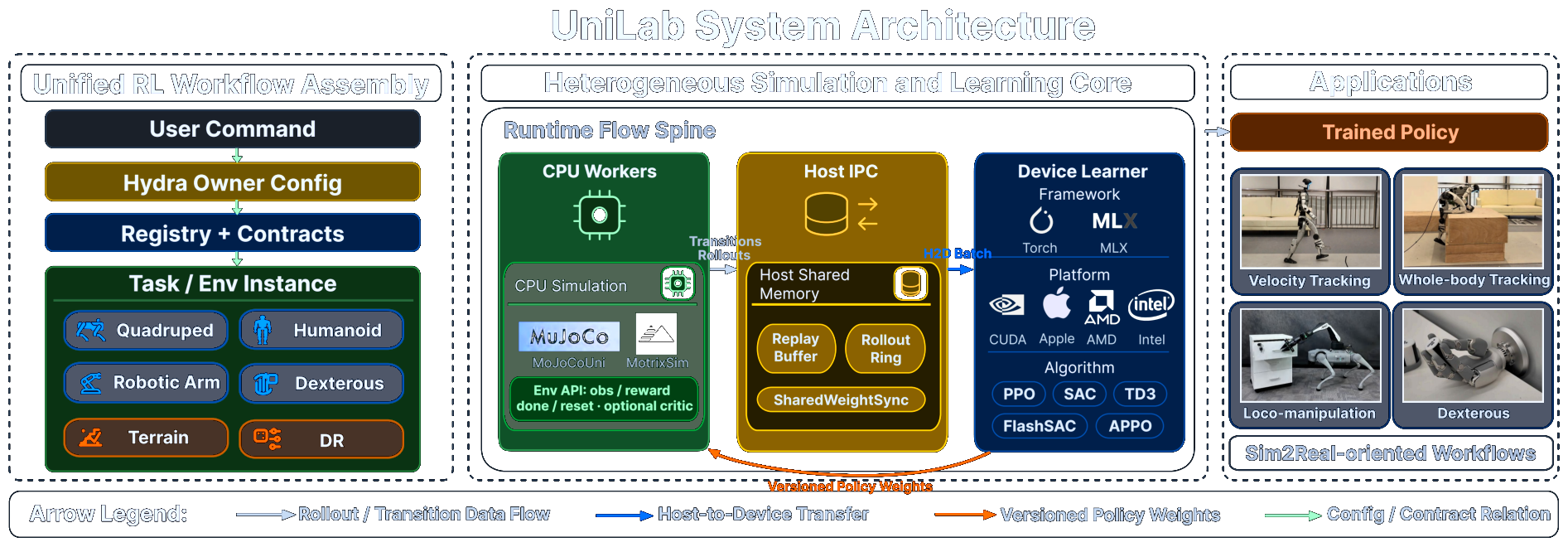
Figure 1: Official system architecture diagram of UniLab. Pay special attention to the Runtime Flow Spine in the middle: CPU Workers handle MuJoCo/MotrixSim simulation, Host IPC manages shared memory, rollout, and replay buffer, while Device Learner is the learning module for CUDA / Apple / AMD / Intel devices. Source: Official UniLab project page .
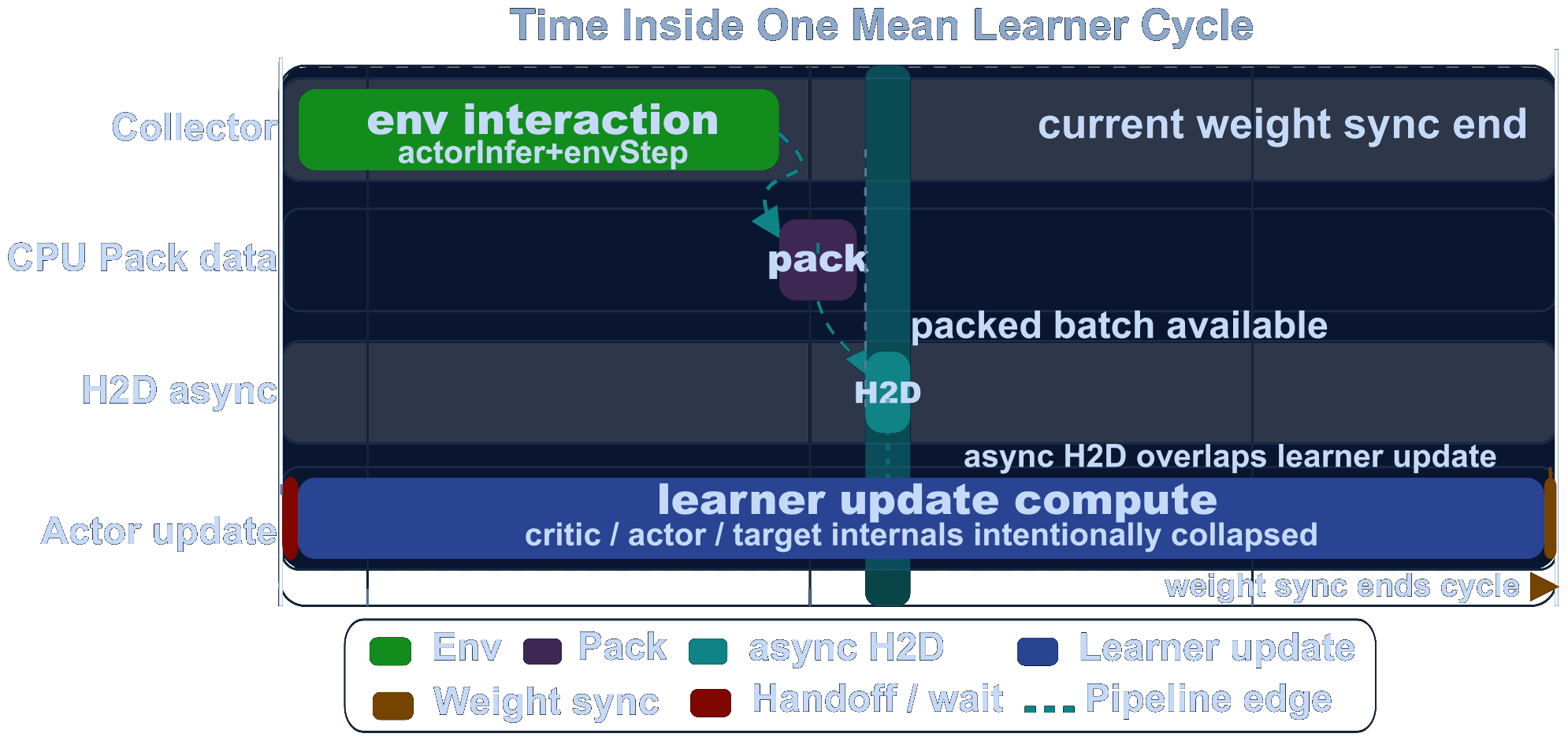
Figure 2: UniLab official pipeline timeline. It shows how simulation sampling, Host-to-Device data transfer, and learner updates are arranged in the heterogeneous pipeline. Source: UniLab official project page .

Figure 3: Comparison chart of UniLab’s official training efficiency. The complete performance results here must be reproductioned strictly according to the paper’s hardware and task matrix; this chapter only performs a lightweight smoke test on a 6GB GPU and records resource usage. Source: UniLab’s official project page .
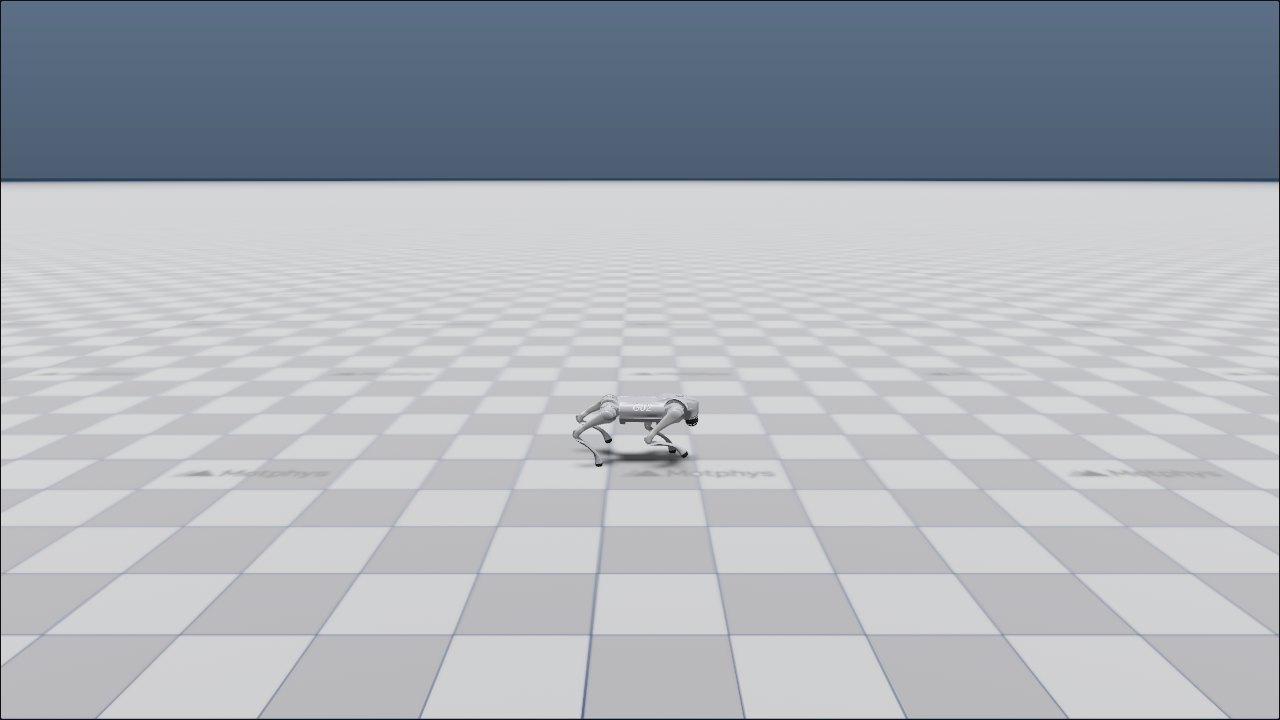
Figure 4: Screenshot of the Go2 flatland speed tracking task on the UniLab official project page. In this chapter, we choose the same go2_joystick_flat task because it is more suitable than human dance or dexterous hand manipulation for the first round of training smoke test. Source: UniLab official project page .
2. To what extent can this chapter be reproduced
This 6GB GPU can handle small-scale training, but it is not recommended as a complete paper reproduction platform. There are two reasons for this: first, the 3-10x end-to-end efficiency improvements mentioned in the papers require comparisons across multiple tasks, algorithms, and hardware configurations; second, the official platform currently supports Linux CUDA, Linux ROCm, Linux XPU, and macOS, while Windows is not part of the official support scope.
The conclusions obtained in this chapter are more suitable for beginners to make judgments:
| Item | Current Status of This Chapter |
|---|---|
| Clone of UniLab Official Repository | Completed |
| Import of MotrixSim Backend | Completed |
| CUDA Version of PyTorch | Completed, torch 2.7.0+cu128 |
go2_joystick_flat Training |
Completed |
| Checkpoint Saving | Completed |
| No rendering eval | Completed |
| MotrixSim Record Video | Completed |
| MuJoCo Backend | Not working on Windows, stuck at mujoco-uni build |
| Complete Paper Benchmark | Not reproduced, requires Linux/cloud server and a more systematic experimental matrix |
3. Environment Preparation
The official recommendation is to use uv for the management environment. This machine already has a micromamba py310 environment, so no new micromamba environment is created here. Instead, UniLab creates its own .venv in the project directory. This approach isolates UniLab dependencies and does not contaminate the existing environment.
First, write the working directory and repository path as variables:
powershell$WORKSPACE = "C:\path\to\workspace"
$UNILAB_ROOT = "$WORKSPACE\UniLab"
git clone https://github.com/unilabsim/UniLab.git $UNILAB_ROOT
cd $UNILAB_ROOT
If you want to reproduce it on Linux, use the official command first:
bashmake setup-motrix
When running this machine with Windows, there is no available Windows wheel for mujoco-uni==3.8.0. Source build requires MUJOCO_PATH. To first run the MotrixSim route successfully, the following compromise command is used to skip mujoco-uni:
powershelluv sync --extra motrix --no-install-package mujoco-uni `
  --python C:\path\to\micromamba\envs\py310\python.exe
Then replace PyTorch in the project .venv with the Windows CUDA 12.8 wheel:
powershelluv pip install --python .\.venv\Scripts\python.exe --reinstall `
  torch==2.7.0 --index-url https://download.pytorch.org/whl/cu128
Check if CUDA is available:
powershell$env:PYTHONPATH = "src"
uv run --no-sync python -c "import torch; print(torch.__version__, torch.version.cuda, torch.cuda.is_available()); print(torch.cuda.get_device_name(0))"
Output of this machine:
text2.7.0+cu128 12.8 True
NVIDIA GeForce RTX 3060 Laptop GPU
4. Checkpoint 1: Run a small-scale training in the 256 environment first
For the first time, it is recommended not to directly use the official default 1024 environment. On a machine with 6GB of VRAM, start with 256 environment to ensure that the training loop, logs, and checkpoints function properly.
powershell$env:PYTHONPATH = "src"
$env:WANDB_MODE = "disabled"

uv run --no-sync train --algo ppo --task go2_joystick_flat --sim motrix `
  training.no_play=true training.device=cuda:0 `
  algo.num_envs=256 algo.max_iterations=50 algo.save_interval=50
This command does three things: it uses MotrixSim on the CPU to advance the Go2 flat terrain tracking task; it updates the policy using the PPO learner on CUDA; and it saves a checkpoint every 50 iterations. training.no_play=true will turn off the post-training interactive replay to avoid window rendering from affecting training and validation.
The summary of this machine’s successful training in one attempt is as follows:
| Metric | Value |
|---|---|
| Number of parallel environments | 256 |
| Iteration | 50 |
num_steps_per_env |
24 |
| Cumulative environment steps | 307,200 |
| Training wall time | 51.30 s |
| Final mean reward | 22.48 |
| Best mean reward | 25.52 |
| Final checkpoint | model_49.pt |
This smoke test demonstrates that data collection, GPU learner, log writing, and checkpoint saving all work properly; however, it cannot prove that the policy has reached the level required by papers or official benchmarks.
5. Checkpoint 2: Resource usage in 512 environment, 100 iterations
After confirming that the 256 environment can run, this machine continued to run 512 environments and 100 iterations, and performed coarse-grained monitoring using nvidia-smi, Windows counter, and process RSS.
powershell$env:PYTHONPATH = "src"
$env:WANDB_MODE = "disabled"

uv run --no-sync train --algo ppo --task go2_joystick_flat --sim motrix `
  training.no_play=true training.device=cuda:0 `
  algo.num_envs=512 algo.max_iterations=100 algo.save_interval=50
Training Summary:
| Metric | Value |
|---|---|
| Number of parallel environments | 512 |
| Iteration | 100 |
| Cumulative environment steps | 1,228,800 |
| Training wall time | 132.90 s |
| Outer monitoring record duration | 141.94 s |
| Final mean reward | 34.97 |
| Best mean reward | 37.40 |
| Average episode length | 1000.0 |
Resource usage records:
| Resource Item | Average Value | Peak Value | Explanation |
|---|---|---|---|
| GPU Memory | 233 MiB | 263 MiB | Contains only nvidia-smi sample values, indicating that the policy network is lightweight |
| GPU Utilization | 13.54% | 60% | The learner updates intermittently, so utilization does not reach 100% for long periods |
| System CPU Usage | 62.80% | 81.05% | MotrixSim/CPU parallel simulation is the main load |
| Used System Memory | 31.22 GiB | 32.24 GiB | Includes the system and background processes; not exclusive to UniLab |
| UniLab-related Python RSS | 1397 MiB | 1538 MiB | Estimated from the working set of related Python/uv processes |
The monitoring file is saved in:
assets/local_runs/20260531-210237/resource_monitor.csvassets/local_runs/20260531-210237/resource_summary_512x100.jsonassets/local_runs/20260531-210237/train_summary_512x100.json
From this set of data, it can be seen that the 6GB graphics card is not the bottleneck for this lightweight task; the CPU is the more obvious source of pressure. This also aligns with the design of UniLab: the CPU handles the physical simulation, while the GPU is used only for policy learning.
6. Checkpoint 3: Export MotrixSim training replay
In Windows, if the repository path contains Chinese characters, eval --render-mode record may produce an error when exporting the TorchScript policy:
textRuntimeError: Parent directory ... does not exist.
The issue with this machine is that the original path contains Chinese characters, and TorchScript does not handle this path correctly during saving. The solution is to place the root directory of the training logs in an ASCII path, such as C:/unilab_logs.
powershell$env:PYTHONPATH = "src"
$env:WANDB_MODE = "disabled"

uv run --no-sync train --algo ppo --task go2_joystick_flat --sim motrix `
  training.no_play=true training.device=cuda:0 training.log_root=C:/unilab_logs `
  algo.num_envs=256 algo.max_iterations=50 algo.save_interval=50
The policy exported here is the policy replay of the training-후 checkpoint, not a PBR teaser. Its purpose is to verify that the state-based policy can be loaded and can advance several steps smoothly in MotrixSim.
Multi-environment replay:
powershelluv run --no-sync eval --algo ppo --task go2_joystick_flat --sim motrix `
  --load-run -1 --render-mode record `
  training.log_root=C:/unilab_logs `
  training.play_steps=300 training.play_env_num=4 training.render_spacing=1.4
Single environment follow perspective replay:
powershelluv run --no-sync eval --algo ppo --task go2_joystick_flat --sim motrix `
  --load-run -1 --render-mode record `
  training.log_root=C:/unilab_logs `
  training.play_steps=300 training.play_env_num=1 `
  training.cam_tracking=true training.cam_distance=4.0 training.cam_elevation=-15.0
Figure 5: The playback video of the 4 environment in MotrixSim exported by this machine. It verifies that the checkpoint can be loaded, and can drive the MotrixSim to replay the policy with 300 steps.
Figure 6: The single-environment following video exported by the local machine. This video is more suitable for checking whether the robot’s posture and movements are continuous.
If the web builder does not display the video directly, you can first extract frames from two videos:
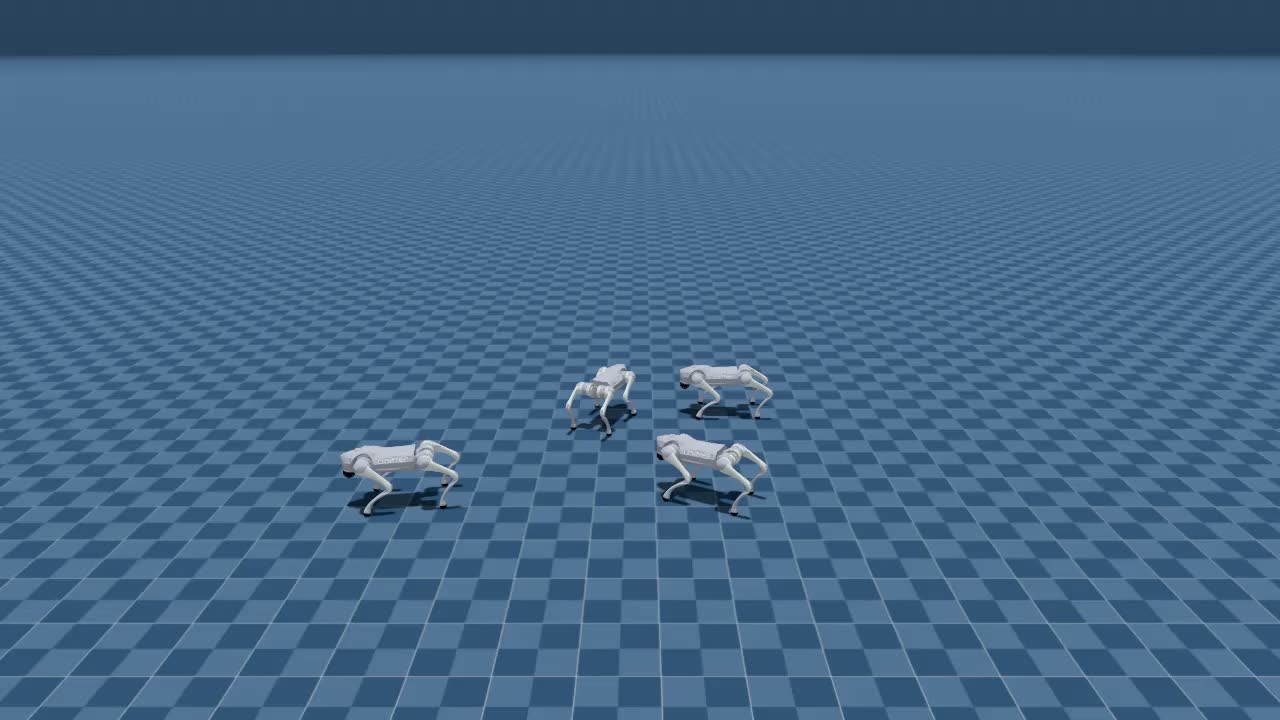
Figure 7 4 Environmental playback frame extraction.
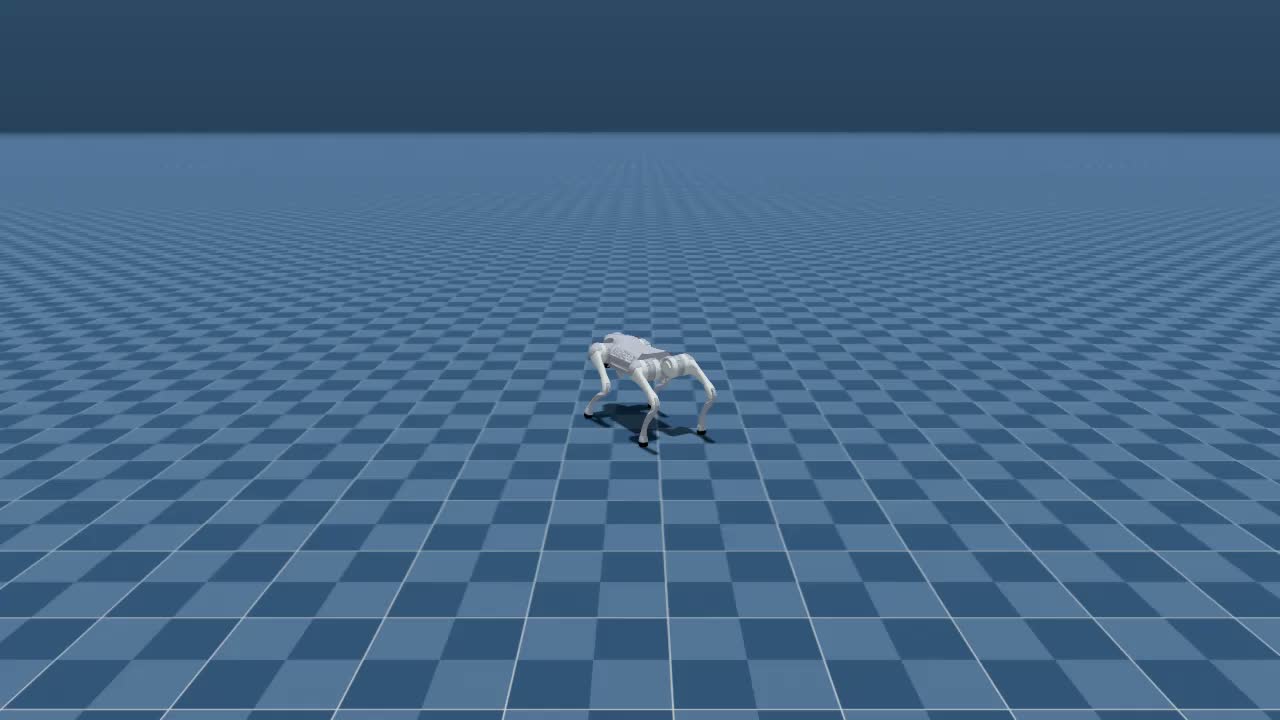
Figure 8: Frame extraction for single environment playback.
7. Extended Experience: MotrixSim PBR teaser renderer
The focus of UniLab’s work line is not on creating rendering benchmarks, but the MotrixSim renderer already supports PBR. The official repository provides an independent teaser entry that can be used as a visual experience tutorial: it loads the paper teaser scene, activates the MotrixSim renderer, and maintains a static scene display; it does not train policies nor advance the RL rollout.
Run in the root directory of the UniLab repository:
powershell$env:PYTHONPATH = "src"
uv run --no-sync demo teaser
The first run will automatically download the teaser scene assets. After the download is complete, the program will enter src/unilab/tools/render_teaser.py, call RenderSettings.quality(), and enable shadow, SSGI, and full render mesh. After the window opens, you can interact with the scene through the renderer; close the window to exit.
To stabilize the extraction of multi-view images, this machine uses MotrixSim’s headless system camera capture instead of recording chat videos or capturing front windows. The core approach is to load the same teaser MJCF scene and then adjust it multiple times:
pythonrender.system_camera.set_view(lookat, distance, elevation, azimuth)
After the scene assets are downloaded, this machine exports 3 1280x720 PNG screenshots, using approximately 24 s. The first run will additionally download scenes/teaser assets. If warnings such as convex hull partial success, Duplicate AssetLoader, or wgpu_core::validation appear in the log, as long as the screenshots are generated correctly, they can generally be treated as a prompt for the renderer initialization.
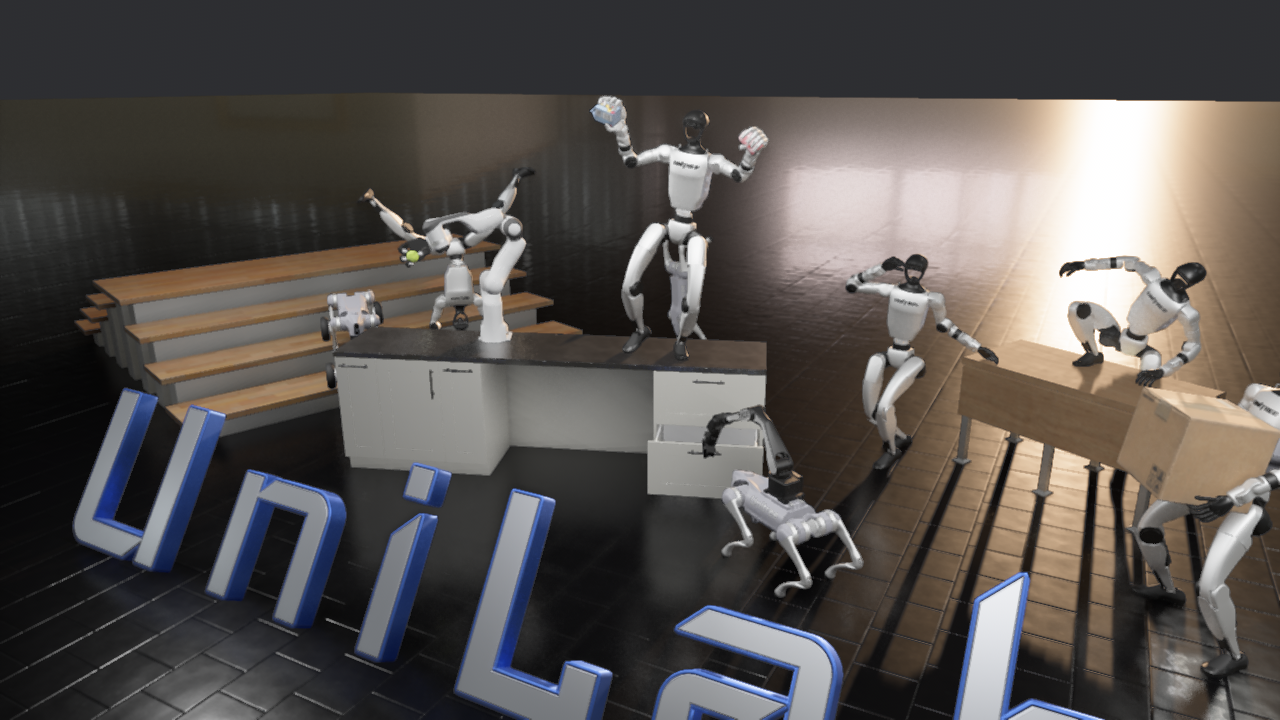
The three images below are all from the MotrixSim PBR renderer running on this machine.
 |
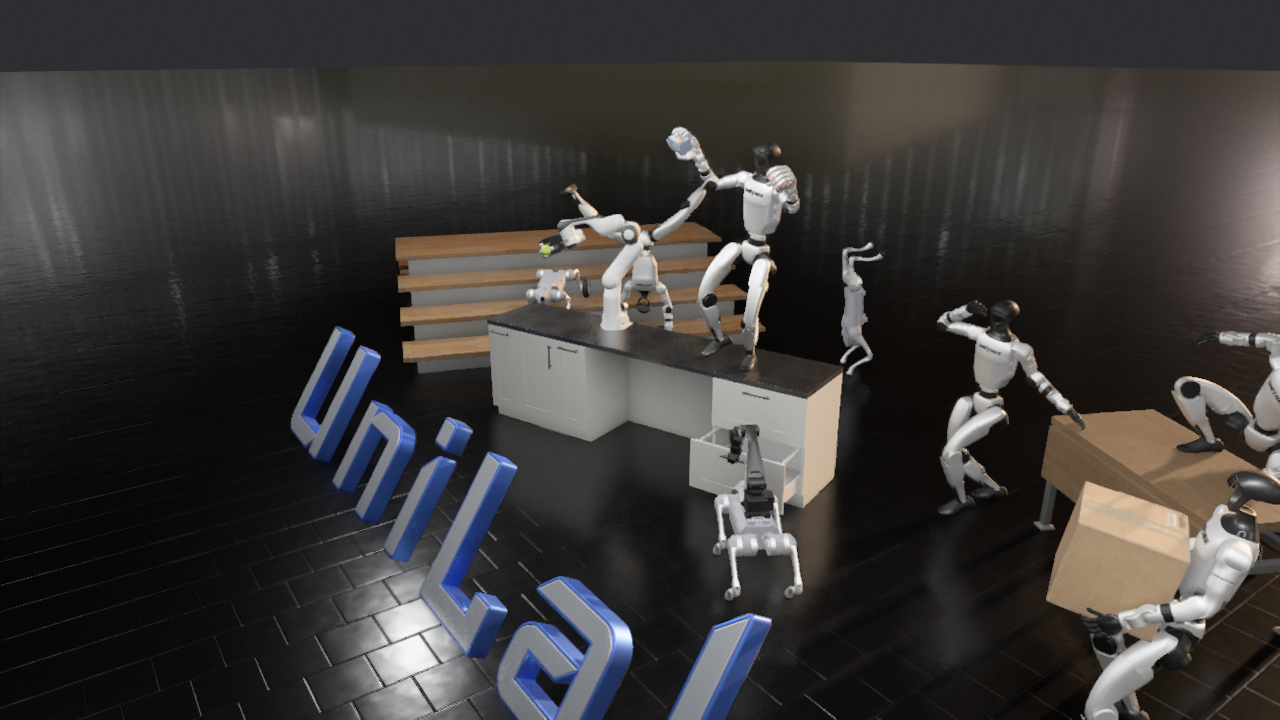 |
| Figure 9: PBR teaser main view. Here, you can see reflective ground, bright light entries, robots, and cardboard boxes as display assets. | Figure 10: PBR teaser left high-angle view. This angle allows for easier observation of the overall scene layout and shadow layers. |
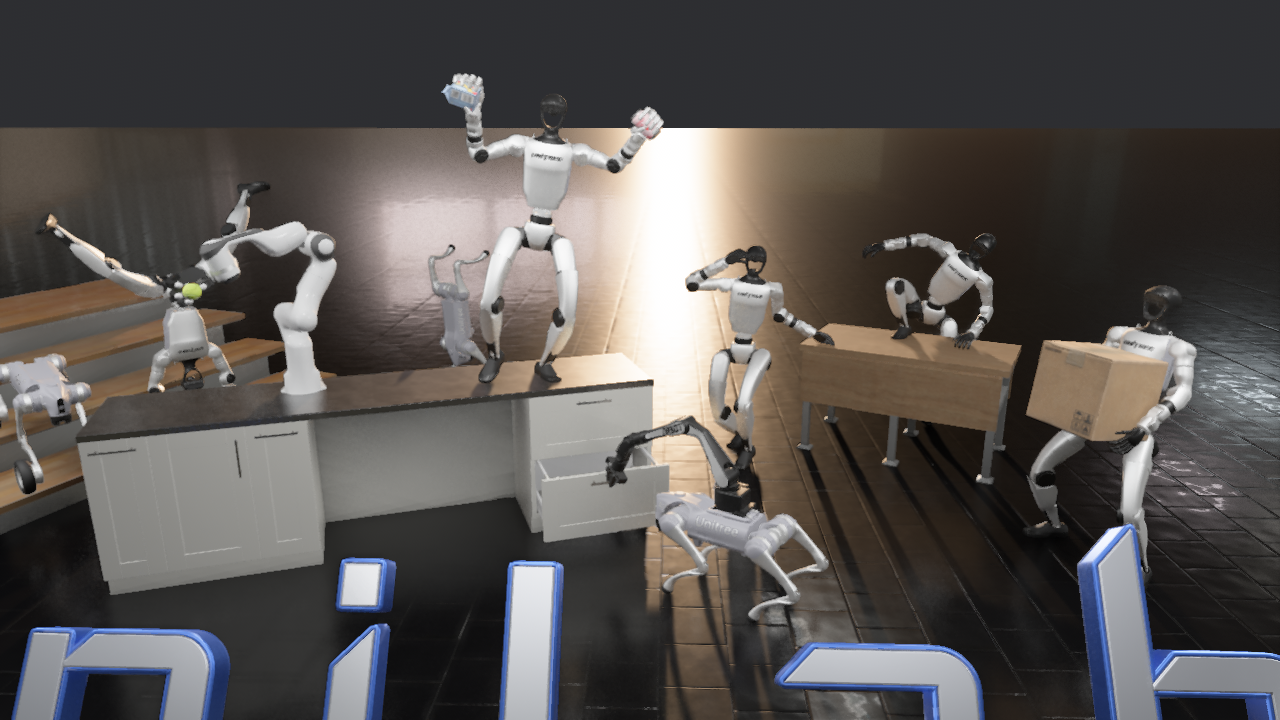
Figure 11: Close-up view of the PBR teaser. This screenshot is better for checking PBR materials, ground reflection, desktop shadows, and robot surface highlights.
This teaser is suitable for inclusion in a tutorial as a section titled “MotrixSim Renderer Experience”, but it should not be confused with the previous RL training metrics: the go2_joystick_flat earlier on represents the reproduction of state-based RL training; this teaser is used to showcase static scenes that rely solely on the renderer.
8. Common Issues
Build failed for mujoco-uni under Windows
The error message of this machine is:
textRuntimeError: MUJOCO_PATH environment variable is not set, and no bundled MuJoCo found in package.
This is a limitation of the Windows approach, but it does not mean that UniLab itself cannot be used. If you want to seriously reproduce the MuJoCo backend and the corresponding paper experiments, it is recommended to use Linux CUDA or Docker; if you just want to run MotrixSim first, you can skip mujoco-uni as described in this chapter.
unilab Package import failed
This machine has encountered a situation under Windows where uv run train is found, but unilab cannot be found. The solution is to explicitly set it in the current PowerShell session:
powershell$env:PYTHONPATH = "src"
Error when exporting video to a path containing Chinese characters
Place the training logs and checkpoints under an ASCII path:
powershelltraining.log_root=C:/unilab_logs
This is more stable than moving the entire project, and it won’t damage the tutorial repository structure.
Can a 6GB GPU continue to support more environments?
For this task in this chapter, the 512 environment does not utilize all 6GB of VRAM. The bottleneck lies more in simulation and scheduling on the CPU side. You can continue to try algo.num_envs=768 or 1024, but it is recommended to modify only one parameter at a time while keeping training.no_play=true. If the CPU utilization remains very high and the training speed decreases instead of improving, it indicates that the number of environments has exceeded the effective parallel capacity of this machine.
9. Conclusion of this chapter
This 6GB RTX 3060 laptop can run UniLab’s lightweight state-based RL training through the MotrixSim route on Windows. The most valuable result is not the reward values, but the confirmation that UniLab’s heterogeneous design works well on small machines: the CPU handles parallel simulation, the GPU handles policy learning, with very low VRAM usage, and the CPU is the main resource bottleneck.
If you want to reproduce the complete paper, it is recommended to switch to the Linux CUDA environment and use the officially supported make setup-motrix approach. Additionally, ensure the MuJoCo backend, multi-task, multi-algorithm, and multi-hardware comparisons are included. A 6GB GPU is more suitable as a platform for course smoke tests, environment validation, and small-scale ablation experiments.
References
- UniLab official project page: https://unilabsim.github.io
- UniLab GitHub repository: https://github.com/unilabsim/UniLab
- UniLab paper page: https://unilabsim.github.io/paper/
- UniLab arXiv: https://arxiv.org/abs/2605.30313
- UniLab official documentation: https://unilabsim.github.io/UniLab-doc/