
Without downloading 200GB assets, you can still experience InternDataEngine: A small-space reproduction tutorial
InternDataEngine is the data synthesis engine in the InternVerse embodied data platform. The official documentation covers a complete range of topics such as installation, Quick Start, Workflow, Skills, Objects, Cameras, Robots, Controllers, Domain Randomization, Assets, and Training. However, if you just want to get a feel for the features, downloading all the full assets and running the entire task library is not cost-effective.
This article adopts a lighter approach: instead of downloading a full asset package of about 200GB, it uses the small assets provided by the repository, necessary CuRobo / Drake dependencies, and an asset of about 1MB for the hinged trash can. The goal is to cover as much of InternDataEngine’s core capabilities as possible, and generate a three-view video that can be directly embedded in Markdown.
This tutorial is suitable for three types of readers:
- Want to quickly check if the current server can run InternDataEngine;
- Want to prepare visual demos for courses, reports, or blogs;
- Want to understand the configuration, skills, cameras, randomization, and data output pipeline of InternDataEngine, but don’t want to download all the assets yet.
This article does not claim that all official Pick / Place / Open tasks have been fully implemented. They have entered the corresponding planning stage under small asset conditions, but further adjustments to constraints and poses are still needed. The focus of this article is: to get the main platform link running with minimal space, and to turn the functions that can be displayed stably into materials.
Final Effect Preview
This article contains 4 sets of local rendering videos, all placed in the assets/ directory at the same level as this article.
Target Tracking: Workflow, Robot, Controller, Three-Channel Camera
Open video: assets/track_three_views.mp4
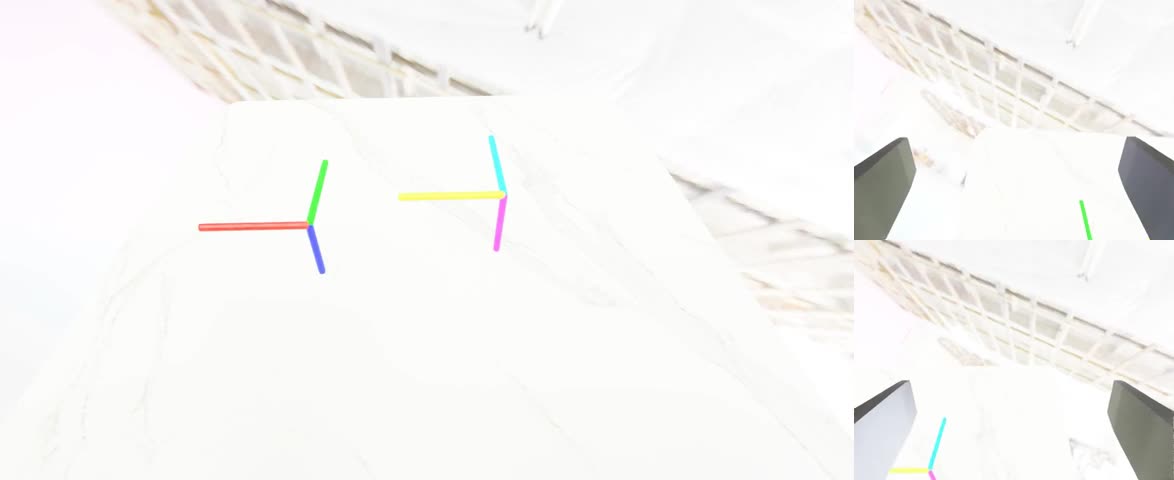
Control skill combination: Joints, gripper, trajectory tracking
Open video: assets/control_mix_three_views.mp4
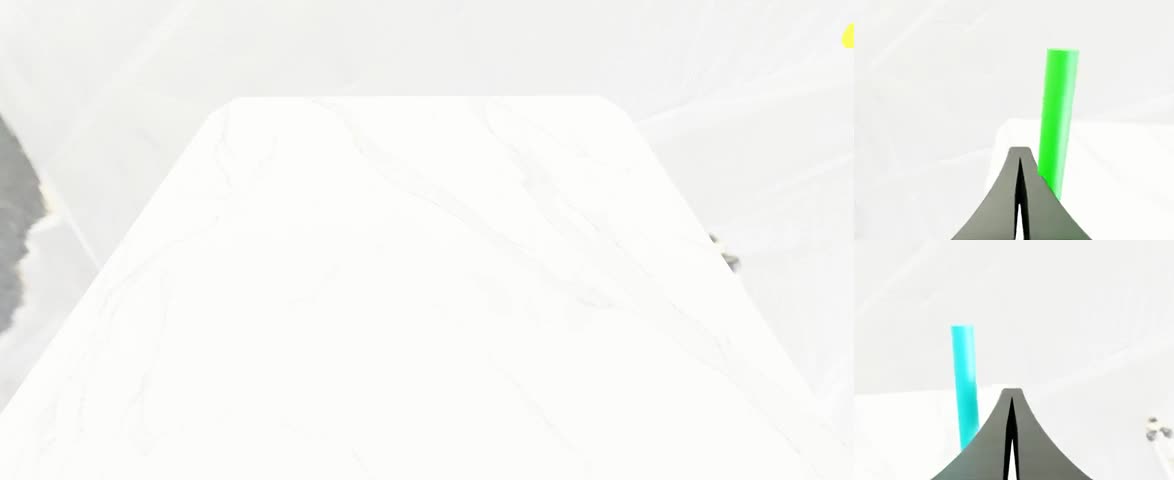
Object and Domain Randomization: Object categories, poses, lighting, and camera perturbations
Open video: assets/object_dr_three_views.mp4
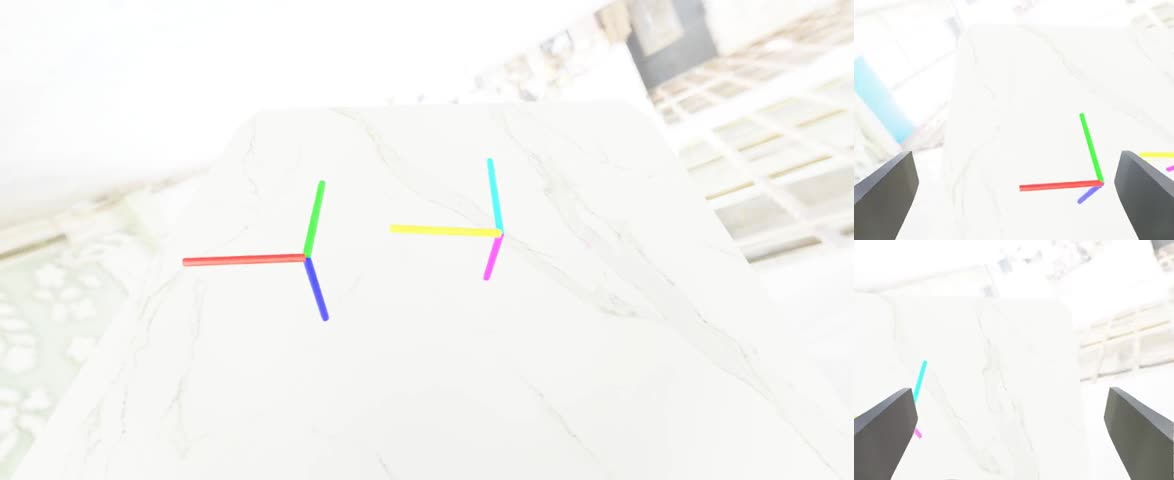
Small asset articulated object: ArticulatedObject loading and rendering
Open video: assets/articulation_three_views.mp4
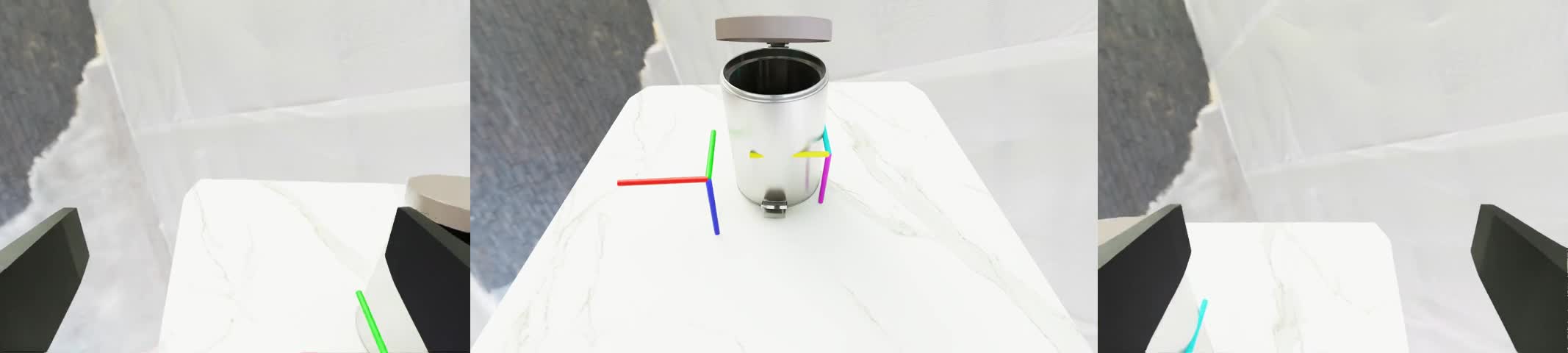
What will this paper reproduction
After completing this article, you will get the following results:
- A local tutorial in Markdown format:
docs_artifacts/InternDataEngine_小空间功能体验教程.md - A local video asset directory:
docs_artifacts/assets/ - Four sets of three-view videos that can be embedded in Markdown;
- Four locally runnable minimum task configurations;
- Clear instructions on the necessary compatibility patches for the current environment;
- A detailed record of the current status of Pick / Place / Open.
This route actually covers:
simbox_plan_and_renderWorkflow;- YAML task configuration;
- Split ALOHA robot loading;
- CuRobo control chain;
track,joint__ctrl,gripper__actionskills;RigidObject,GeometryObject,ArticulatedObject;- Head camera, left wrist camera, right wrist camera;
- Lighting, object, pose, and camera randomization;
- LMDB,
meta_info.pkl, MP4 video export.
Directory Convention
The default project in this article is located at:
bash/root/gpufree-data/InternDataEngine
Isaac Sim Python is located at:
bash/isaac-sim/python.sh
The auxiliary asset directory is located at:
bash/root/gpufree-share/internverse_assets
Enter the project root directory:
bashcd /root/gpufree-data/InternDataEngine
All commands in the following text will be executed from this directory by default.
This article describes how to experience the core features of InternDataEngine with minimal disk space on a server pre-installed with Isaac Sim, and generate multi-perspective video materials that can be embedded in Markdown.
The goal of this tutorial is not to reproduction the official complete task library, nor to download approximately 200GB of full assets. Instead, it uses small assets to cover the following capabilities:
- Workflow:
simbox_plan_and_renderend-to-end execution - YAML Config: tasks, robots, cameras, skills, asset configuration
- Robots / Controllers: Split ALOHA robots and CuRobo controllers
- Skills:
track,joint__ctrl,gripper__action - Objects: rigid bodies, geometric objects, articulated objects
- Cameras: head camera, left and right wrist cameras
- Domain Randomization: lighting, object categories, object poses, camera perturbations
- Data Output: LMDB,
meta_info.pkl, three-channel MP4 video - Articulation: verify
ArticulatedObjectloading and display using a small 1MB trash asset
After the operation is completed, readers will receive a set of local videos that can be directly inserted into Markdown, course documents, or project reports.
1. Output of this tutorial
The tutorial file is located at:
bash/root/gpufree-data/InternDataEngine/docs_artifacts/InternDataEngine_小空间功能体验教程.md
Videos and cover images are placed in the same-level assets/ directory:
bash/root/gpufree-data/InternDataEngine/docs_artifacts/assets/
The materials that have been organized currently include:
bashassets/track_three_views.mp4
assets/control_mix_three_views.mp4
assets/object_dr_three_views.mp4
assets/articulation_three_views.mp4
These videos are generated by InternDataEngine for local rendering, not from external link materials.
2. First, answer: What Isaac Sim / InternDataEngine API changes were made?
This time, there were no changes to the Isaac Sim本体, nor to the interface implementations in the /isaac-sim installation directory. The actual changes occurred in the InternDataEngine code of the current workspace. The goal is to enable the official code to continue running in the current environment with Isaac Sim 5.1, Python 3.11, Torch 2.7, and Drake new API.
2.1 Keep arena_file, avoid duplicate reset to lose configuration
File:
bash/root/gpufree-data/InternDataEngine/workflows/simbox_dual_workflow.py
Before modification, the workflow executes during the reset process:
pythonself.task_cfg.pop("arena_file", None)
This will cause the arena_file in the configuration to be removed when it is reset again within the same pipeline, and the subsequent arena load will obtain None. During local multi-skills and small-task smoke tests, this issue will manifest as a failed scene reset.
The current patch is changed to retain arena_file:
python# Keep arena_file available because the same task_cfg can be reset more
# than once inside the local plan-and-render pipeline.
self.task_cfg.pop("camera_file", None)
self.task_cfg.pop("logger_file", None)
This is a compatibility fix for the status management of the InternDataEngine workflow, not a modification to the Isaac Sim API.
2.2 Compatible with Drake’s MultibodyPlantConfig
File:
bash/root/gpufree-data/InternDataEngine/workflows/simbox/solver/planner_utils.py
The official code assumes that pydrake.multibody.plant.MultibodyPlantConfig supports the discrete_contact_solver parameter:
pythonMultibodyPlantConfig(
    time_step=time_step,
    discrete_contact_solver=discrete_contact_solver,
)
The current environment does not have this field for the Drake version, and the following error will be reported:
textAttributeError: 'pydrake.multibody.plant.MultibodyPlantConfig' object has no attribute 'discrete_contact_solver'
The patch uses a compatible writing style for old and new APIs:
pythontry:
    multibody_plant_config = MultibodyPlantConfig(
        time_step=time_step,
        discrete_contact_solver=discrete_contact_solver,
    )
except AttributeError:
    multibody_plant_config = MultibodyPlantConfig(time_step=time_step)
2.3 AddModels Compatible with Drake Parser
Same file:
bash/root/gpufree-data/InternDataEngine/workflows/simbox/solver/planner_utils.py
Official code uses the old interface:
pythonparser.AddModelFromFile(franka_combined_path)
In the current Drake version, this interface does not exist, and an error will be reported:
textAttributeError: 'pydrake.multibody.parsing.Parser' object has no attribute 'AddModelFromFile'
The patch adds a compatibility function:
pythondef add_model_from_file(parser, model_path):
    if hasattr(parser, "AddModelFromFile"):
        return parser.AddModelFromFile(model_path)
    return parser.AddModels(model_path)[0]
Then change the calls in AddR5a, AddPiper, and AddFranka to:
pythonfranka = add_model_from_file(parser, franka_combined_path)
2.4 Conclusion
This time, the code in the InternDataEngine official repository has indeed been modified, but they are all small compatibility patches:
- No changes were made to the Isaac Sim core.
- The major structure of the official mission logic remains unchanged.
- Failed missions are not forced to be marked as successful.
- The patch mainly addresses the API differences between the current environment and the official code version.
If the system is later switched to the officially recommended Isaac Sim/Python/Drake combination, these patches may become unnecessary; however, keeping them generally does not affect the old API, as the patches use a compatible branch.
3. Environment
This tutorial is organized based on the following paths:
bash/root/gpufree-data/InternDataEngine
/isaac-sim/python.sh
/root/gpufree-share/internverse_assets
Enter the repository before starting:
bashcd /root/gpufree-data/InternDataEngine
Check if Isaac Sim Python exists:
bashtest -x /isaac-sim/python.sh && echo "Isaac Sim python found"
Check GPU:
bashnvidia-smi
Check the current repository status:
bashgit status --short
The demo in this tutorial does not require downloading the complete 200GB assets. The current version uses:
- The repository contains
workflows/simbox/example_assets - Downloaded
workflows/simbox/curobo - Downloaded
workflows/simbox/panda_drake - 1MB level articulated trash bins assets added separately
4. Local Document Image
The official documentation has been mirrored locally:
bash/root/gpufree-data/internverse-docs-mirror/internrobotics.github.io/InternDataEngine-Docs/index.html
You can open this HTML with a browser and view the pages such as Installation, Quick Start, Workflow, Skills, Objects, Cameras, Robots, Controllers, Domain Randomization, Assets, and Training offline.
If you need to re-image the official documentation, you can use a similar command:
bashcd /root/gpufree-data
wget \
  --mirror \
  --convert-links \
  --adjust-extension \
  --page-requisites \
  --no-parent \
  https://internrobotics.github.io/InternDataEngine-Docs/
The entry point is usually completed after the image:
bashinternrobotics.github.io/InternDataEngine-Docs/index.html
5. Small-space task configuration
The task configurations added in this tutorial are placed in:
bashworkflows/simbox/core/configs/tasks/example/
The main files are as follows:
bashworkflows/simbox/core/configs/tasks/example/track_the_targets.yaml
workflows/simbox/core/configs/tasks/example/local_control_mix.yaml
workflows/simbox/core/configs/tasks/example/local_object_dr_showcase.yaml
workflows/simbox/core/configs/tasks/example/local_articulation_showcase.yaml
workflows/simbox/core/configs/tasks/example/local_pick_left.yaml
workflows/simbox/core/configs/tasks/example/local_pick_place_right.yaml
workflows/simbox/core/configs/tasks/example/local_open_trashcan.yaml
The four tasks that have generated stable videos are:
track_the_targets.yamllocal_control_mix.yamllocal_object_dr_showcase.yamllocal_articulation_showcase.yaml
local_pick_left.yaml, local_pick_place_right.yaml, and local_open_trashcan.yaml are trial configurations for further verifying the Pick / Place / Open skills. Currently, planning constraints need to be adjusted, and the phenomena will be explained later in this article.
6. Demo 1:Track The Targets
This demo uses Split ALOHA dual-arm to perform simple target tracking, mainly to verify the workflow, YAML, robot, controller, camera, rendering, and LMDB writing.
Run command:
bashcd /root/gpufree-data/InternDataEngine
bash scripts/simbox/simbox_plan_and_render.sh \
  workflows/simbox/core/configs/tasks/example/track_the_targets.yaml \
  1 \
  9
Parameter meanings:
- First parameter: Task YAML
- Second parameter
1: Generate 1 random sample - Third parameter
9: Random seed
After success, the output directory looks like:
bashoutput/track_the_targets_plan_and_render_seed_9/
You can search for videos:
bashfind output/track_the_targets_plan_and_render_seed_9 \
  -type f -name 'demo.mp4' -print
The presented video after organizing this tutorial is as follows.
If the current Markdown renderer does not support the HTML video tag, you can open it directly:
Preview frame:
This demo proves that the current environment can complete:
- Isaac Sim startup
- SimBox workflow execution
- Split ALOHA loading
- CuRobo planning
- Three-channel camera rendering
- LMDB data writing
- MP4 export
7. Demo 2:Control Mix
This demo combines multiple low-cost control techniques to demonstrate the skill system and controller command chain.
Run command:
bashcd /root/gpufree-data/InternDataEngine
bash scripts/simbox/simbox_plan_and_render.sh \
  workflows/simbox/core/configs/tasks/example/local_control_mix.yaml \
  1 \
  24
Note skill names:
yamlname: joint__ctrl
name: gripper__action
name: track
Here, joint__ctrl and gripper__action are the names registered by the current code, with double underscores in between. If written as joint_ctrl or gripper_action, there will be an issue where the skill registration name cannot be found.
Presentation video:
Direct link:
assets/control_mix_three_views.mp4
Preview frame:
This demo covers:
joint__ctrlgripper__actiontrack- dual-arm controller
- three-channel video: head / left wrist / right wrist
8. Demo 3: Objects and Domain Randomization
This demo uses the waste sorting objects and trash cans from the small asset package to demonstrate object loading, category randomization, object pose randomization, lighting randomization, camera perturbation, and retry behavior.
Run command:
bashcd /root/gpufree-data/InternDataEngine
bash scripts/simbox/simbox_plan_and_render.sh \
  workflows/simbox/core/configs/tasks/example/local_object_dr_showcase.yaml \
  1 \
  41
The asset root directory used in the task is:
yamlasset_root: workflows/simbox/example_assets
Similar fields are enabled in the configuration:
yamlenv_map:
  apply_randomization: True
  intensity_range: [2500, 7500]
  rotation_range: [0, 180]
Part of the rigid body object is enabled:
yamlapply_randomization: True
randomization_scope: category
orientation_mode: random
optimize_2d_layout: True
Presentation video:
Direct link:
assets/object_dr_three_views.mp4
Preview frame:
This demo covers:
RigidObjectGeometryObject- object category randomization
- random yaw / pose
- environment lighting randomization
- camera pose randomization
- invalid layout / planning retry
- Three-way video and LMDB output
9. Demo 4: Small Asset ArticulatedObject
The complete Articulation task typically requires many articulated assets. No full assets were downloaded here; instead, only a very small trash can asset was added:
bashworkflows/simbox/example_assets/art/trashcan/trashcan_0001
This directory is approximately 1MB and contains:
bashinstance.usd
Kps/open_h/info.json
Kps/open_h/keypoints.json
Kps/open_h/keypoints_final.json
Kps/close_h/info.json
Kps/close_h/keypoints.json
Kps/close_h/keypoints_final.json
Run the display task:
bashcd /root/gpufree-data/InternDataEngine
bash scripts/simbox/simbox_plan_and_render.sh \
  workflows/simbox/core/configs/tasks/example/local_articulation_showcase.yaml \
  1 \
  52
Presentation video:
Direct link:
assets/articulation_three_views.mp4
Preview frame:
This demo covers:
ArticulatedObjectloading- Loading of keypoint metadata corresponding to
info_name: open_h joint_position_rangeinitializing joint anglesfix_base: Truefixing the base of the articulated object- The articulated object is placed on the desktop
- Random lighting and camera perturbations
- Exporting three-channel video
Note: This demo is a visualization and data link display of ArticulatedObject, which is not equivalent to the successful opening of an open skill.
10. Output Data Structure
Each successful task usually generates a structure similar to this:
bashoutput/<task_name>_plan_and_render_seed_<seed>/
└── BananaBaseTask/
    └── split_aloha/
        └── <task_dir>/
            └── <collect_info>/
                └── <timestamp>/
                    ├── lmdb/
                    │   ├── data.mdb
                    │   └── info.json
                    ├── meta_info.pkl
                    ├── images.rgb.head/
                    │   └── demo.mp4
                    ├── images.rgb.hand_left/
                    │   └── demo.mp4
                    └── images.rgb.hand_right/
                        └── demo.mp4
View the output of a task:
bashfind output/local_articulation_showcase_plan_and_render_seed_52 \
  -type f \
  \( -name 'demo.mp4' -o -name 'data.mdb' -o -name 'meta_info.pkl' \) \
  -print
View video information:
bashffprobe -v error \
  -select_streams v:0 \
  -show_entries stream=width,height,duration \
  -of default=nw=1 \
  docs_artifacts/assets/articulation_three_views.mp4
The actual information for the local articulation showcase splicing video is:
textwidth=2134
height=480
duration=14.666667
11. How to organize videos into the Markdown assets directory
The following command copies the three-view spliced video to the assets/ directory at the same level as the tutorial.
bashcd /root/gpufree-data/InternDataEngine
mkdir -p docs_artifacts/assets

cp docs_artifacts/videos/track_the_targets/seed9_three_views.mp4 \
  docs_artifacts/assets/track_three_views.mp4
cp docs_artifacts/videos/track_the_targets/seed9_three_views.jpg \
  docs_artifacts/assets/track_three_views.jpg

cp docs_artifacts/videos/control_mix/three_views.mp4 \
  docs_artifacts/assets/control_mix_three_views.mp4
cp docs_artifacts/videos/control_mix/three_views.jpg \
  docs_artifacts/assets/control_mix_three_views.jpg

cp docs_artifacts/videos/object_dr/three_views.mp4 \
  docs_artifacts/assets/object_dr_three_views.mp4
cp docs_artifacts/videos/object_dr/three_views.jpg \
  docs_artifacts/assets/object_dr_three_views.jpg

cp docs_artifacts/videos/articulation_showcase/three_views.mp4 \
  docs_artifacts/assets/articulation_three_views.mp4
cp docs_artifacts/videos/articulation_showcase/three_views.jpg \
  docs_artifacts/assets/articulation_three_views.jpg
It is recommended to use HTML to embed videos in Markdown:
html<video controls muted preload="metadata" width="100%">
  <source src="../../../10-具身智能其他仿真工具及仿真前沿/10Internverse教程/assets/object_dr_three_views.mp4" type="video/mp4">
</video>
Keep regular links intact, and be compatible with Markdown renderers that do not support HTML video:
markdown[assets/object_dr_three_views.mp4](../../../10-具身智能其他仿真工具及仿真前沿/10Internverse教程/assets/object_dr_three_views.mp4)
12. Features that are not fully working currently
To save space, the full assets were not downloaded in this article. As a result, the Pick, Place, and actual Open/Close articulation skills have not produced stable and successful videos yet.
12.1 Pick
Configuration:
bashworkflows/simbox/core/configs/tasks/example/local_pick_left.yaml
Observation results:
textPlan did not converge to a solution.
This indicates that the scenario, object, and grasping annotation process have entered the planning stage. However, under the current low configuration, CuRobo fails to find a feasible trajectory. The next steps for debugging are to reduce the difficulty of the object’s position, adjust the home pose, eliminate obstacles, relax the grasping posture, or choose objects that are easier to grasp.
12.2 Pick + Place
Configuration:
bashworkflows/simbox/core/configs/tasks/example/local_pick_place_right.yaml
This configuration is ready, but since the single-step Pick is still unstable, we will not continue to consume time to run the entire Pick + Place for now.
12.3 Open Skill
Configuration:
bashworkflows/simbox/core/configs/tasks/example/local_open_trashcan.yaml
Two Drake API compatibility points have been fixed. The open skill can be generated using KPAM keypose, but the current result is:
textNo keyframes found, return empty manip_list
This indicates that installation and API compatibility issues are no longer the main bottleneck. The next step is to adjust:
- Location of the trash can on the desktop
- Distance from the robot base to the trash can
constraint_listcontact_pose_indexpost_actuation_motions- Matching of keypoint directions with gripper keypoints
13. Common Questions
13.1 arena_file becomes empty or reset fails
Check whether the patch from Section 2.1 of this document is retained. In a multi-stage pipeline, do not remove arena_file(https://example.com/ee_keep_0000) from task_cfg(https://example.com/ee_keep_0001) after the first reset.
13.2 MultibodyPlantConfig has no discrete_contact_solver
This is the version difference for Drake. Use the compatible format in section 2.2 of this document.
13.3 Parser has no AddModelFromFile
This is the difference in the Drake Parser API. Use the add_model_from_file() compatibility function from Section 2.3 of this document.
13.4 Skill name not found
First, look at the registration names for skills. Used in the current local control mix:
yamlname: joint__ctrl
name: gripper__action
Not:
yamlname: joint_ctrl
name: gripper_action
13.5 Planning never converges
This is not necessarily due to installation failure. Plan did not converge to a solution usually indicates that the combination of the current robot’s initial pose, target pose, obstacles, and grasping pose constraints is too difficult. First, use track_the_targets.yaml or local_control_mix.yaml to verify the environment, and then proceed with complex tasks.
13.6 Check for remaining processes after execution
bashpgrep -af 'simbox_plan_and_render|launcher.py|isaac-sim/kit/python' || true
If it is confirmed that the current demo needs to be stopped:
bashpkill -f 'launcher.py --config configs/simbox/de_plan_and_render_template.yaml' || true
14. Recommended Reproduction Order
For the first reproduction, it is recommended to run in this order:
bashcd /root/gpufree-data/InternDataEngine

bash scripts/simbox/simbox_plan_and_render.sh \
  workflows/simbox/core/configs/tasks/example/track_the_targets.yaml \
  1 9

bash scripts/simbox/simbox_plan_and_render.sh \
  workflows/simbox/core/configs/tasks/example/local_control_mix.yaml \
  1 24

bash scripts/simbox/simbox_plan_and_render.sh \
  workflows/simbox/core/configs/tasks/example/local_object_dr_showcase.yaml \
  1 41

bash scripts/simbox/simbox_plan_and_render.sh \
  workflows/simbox/core/configs/tasks/example/local_articulation_showcase.yaml \
  1 52
After completing each task, check the output first:
bashfind output -type f -name 'demo.mp4' | tail -20
Confirm that there are no remaining processes:
bashpgrep -af 'simbox_plan_and_render|launcher.py|isaac-sim/kit/python' || true
15. Summary
Without downloading the full assets, this tutorial has already covered the main usage areas of InternDataEngine with a small space:
- Can start Isaac Sim 5.1
- Can execute SimBox workflow
- Can load Split ALOHA
- Can run CuRobo control link
- Can output LMDB and three-channel MP4
- Can demonstrate various skills
- Can show object/domain randomization
- Can use approximately 1MB of additional assets to display ArticulatedObject
No pose has been claimed to have fully implemented the official Pick, Place, Open/Close skills. They have already entered the corresponding planning or keypose stage, but further constraints and pose adjustments are still needed. For tutorials, platform feature introductions, and Markdown video illustrations, the four sets of videos generated in this article are sufficient to support the explanation of “experiencing the core functions of InternDataEngine in a small space”.