
Task 03: Demonstration Practice - From Idea to Implementation
1. Learning Overview
In the past two days, you have established a understanding of “what embodied AI is” and “what are the mainstream technical approaches”. What this section aims to do today is to translate these abstract concepts into a realizable development pipeline. Learners often hear terms like “data collection”, “model fine-tuning”, “simulation debugging”, and “deployment verification”, but without experiencing them firsthand, it’s easy to treat them as separate steps. In fact, in embodied AI, these stages are not mere nouns placed side by side; they form a tightly coupled production line.
Therefore, on this day, you are not required to train a model yourself, nor to set up complex environments. Instead, you are expected to truly go through the process of “seeing the chain”: where the data comes from, how a model learns a skill, what role the simulation platform plays in between, and how the Le Cloud platform organizes these steps for learners to understand.
2. How does a robot learn a new skill?
If developing a embodied skill, the typical process is roughly as follows:
plaintextflowchart TD
    A[遥操/数据采集] --> B[数据预处理与导出]
    B --> C[构建训练环境]
    C --> D[模型微调 Fine-tuning]
    D --> E[仿真评测]
    E --> F[本体部署与真机测试]
    F -.数据回流.-> A
The challenge of this connection path is that it is not merely a software issue. You cannot rely solely on writing model code, nor can you simply control the robotic arm. It involves remote operation, data, simulation, training, deployment, and hardware. Any problem in any of these aspects will ultimately lead to the outcome that “why can’t the robot perform?” For individual learners, the biggest obstacles usually lie in two areas: first, the lack of a real robot makes it difficult to collect high-quality data on your own; second, the absence of a complete environment makes it hard to understand how training, debugging, and deployment are interconnected. Precisely because of this, the LeCloud platform plays a very clear role in this topic: it does not replace all underlying engineering, but rather presents the entire connection path first.
3. Quick Overview of Features of Leyun Embodied AI Platform
If we consider the LeYue Cloud platform as a closed loop educational entry point for embodied AI projects, what is most worth understanding first is not a single isolated feature, but how the core modules are divided into roles. The platform mainly consists of three core modules:
| Functional Modules | Function | What Students Can Do |
|---|---|---|
| Model Plaza | Pre-set models such as π0, RynnVLA, GR00T, etc. | Understand and call existing embodied AI models on the platform |
| Data Management | Upload/Manage/Annotate data | View dataset from real robots and simulation (e.g., joint angle curves, videos) |
| Model Services | Model training, optimization, deployment | Experience skill debugging and model deployment processes |
If we were to summarize the relationship between these three modules in one sentence, it would be: The Model Plaza is responsible for “viewing and selecting,” Data Management handles “viewing data,” and Model Services are responsible for “putting skills into action.” Although this sentence is brief, it actually represents a typical engineering logic. The Model Plaza lets you know what capabilities the platform provides, Data Management shows you the data format on which the models depend, and Model Services reveal how these capabilities ultimately enter the training, optimization, and deployment processes. For beginners, understanding the relationship between these three elements is enough to move beyond the stage where “I know many pages of the platform, but I don’t know how they relate to each other.” In other words, this page is not about teaching you “where to click,” but about helping you build a map of the engineering process.
4. Experience Objectives
Today’s goal is not to test every entry on the platform, but to complete a closed loop experience that goes from “entering the platform -> understanding the model -> simulation debugging -> viewing data”. As long as you truly go through this entire process, you will begin to understand why the embodied AI platform cannot be simply viewed as a model display page. It is more like an engineering platform that integrates data, models, execution, and results together—a level of complexity that many beginners find difficult to imagine from scratch.
5. Recommended Experience Path
Step 1: Log in and enter the platform
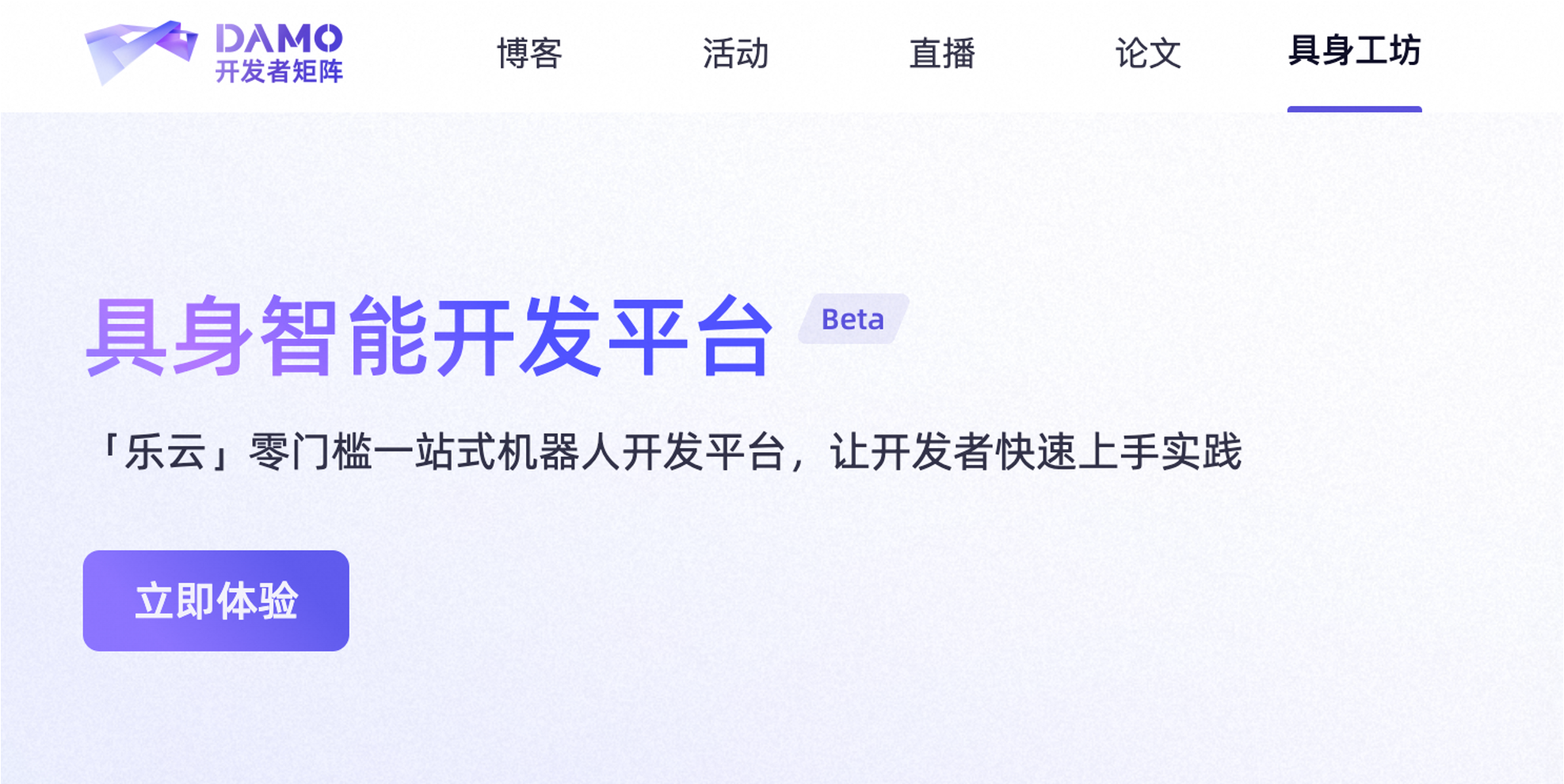
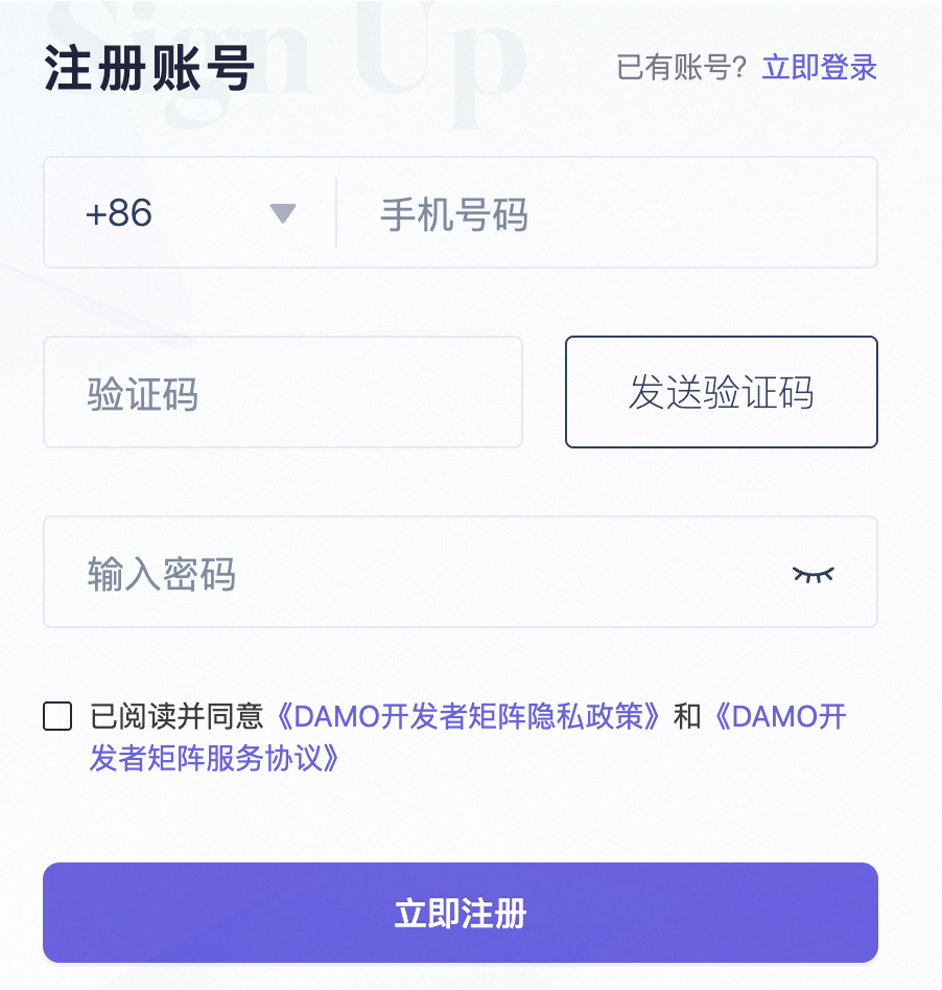
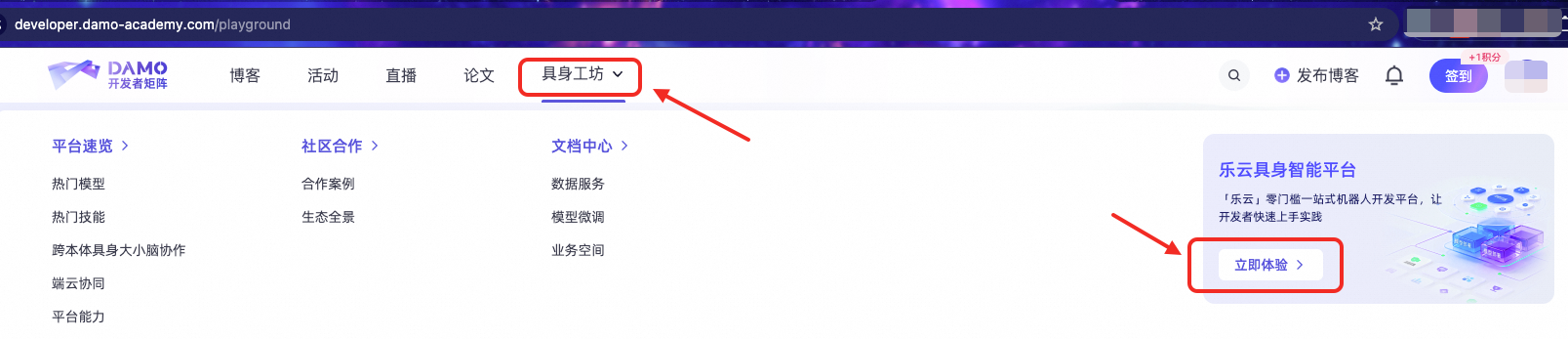
In terms of manipulation, this step is quite simple: first log in to the Damo Developer Matrix, then click “Experience Now” to enter the Leyun embodied AI development platform. However, from a learning perspective, the real significance lies not in “successful login,” but in starting to connect the abstract topic content with a real platform system. Often, learners treat the “platform” as a vague concept; only after actually seeing the entry point, homepage, and module layout does the subsequent content become concrete.
LeCloud Platform: https://developer.damo-academy.com/playground?spm=a1z26upx.zdxx.0.0&from=zdxx
Reference interface:
Step 2: First, assess the platform capabilities; don’t rush into manipulation
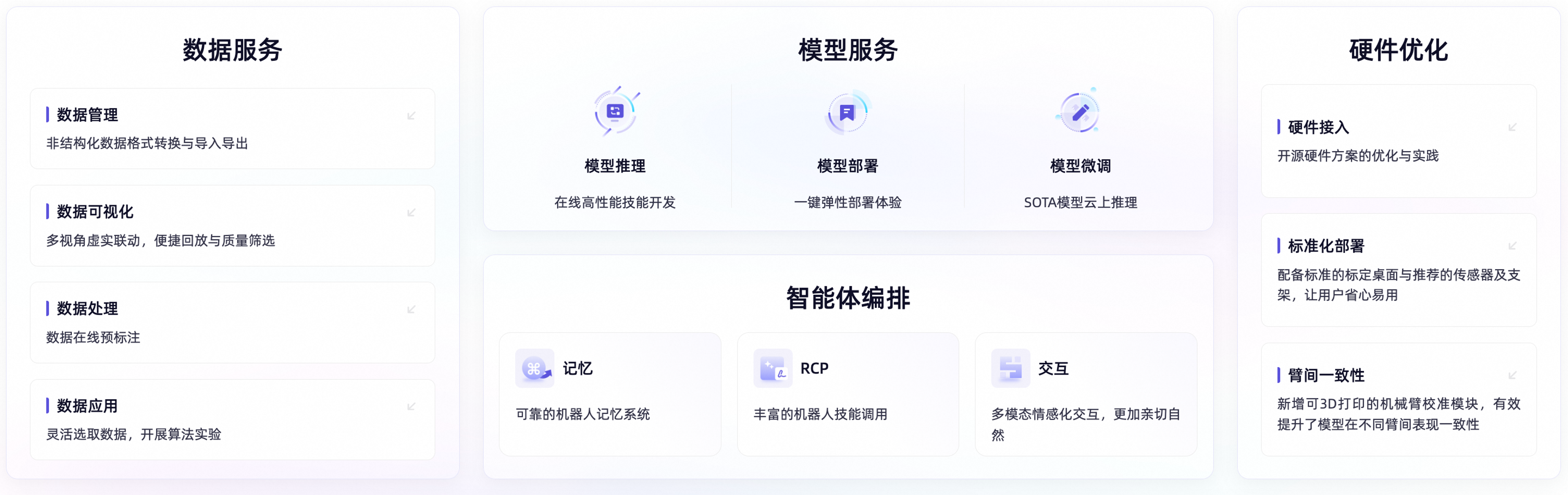
When entering for the first time, it is recommended to have a “map sense” first and not rush to click on features. At least you need to know which parts of the platform correspond to this link:
plaintext数据 -> 模型 -> 调试 -> 执行 -> 回看结果
During this stage, the most important thing is not to click every button, but to establish a “platform awareness map” first. You need to know where the Model Plaza, data management, model services, agents, and device management are located, and which stage in the entire development process they correspond to. With this map in mind, when moving on to specific modules later, what you see is not a bunch of scattered interfaces, but different aspects of a continuous process.
In other words, this step is about establishing a “platform worldview”. If you get stuck on a specific button from the start, it’s easy to assume that the platform is just a stack of function pages. However, if you understand its overall layout first, you will gradually realize that the platform homepage actually implies a complete development process. For textbook readers, this approach of starting with the whole and then breaking down the details is more important than simply memorizing the page names.
Reference interface:
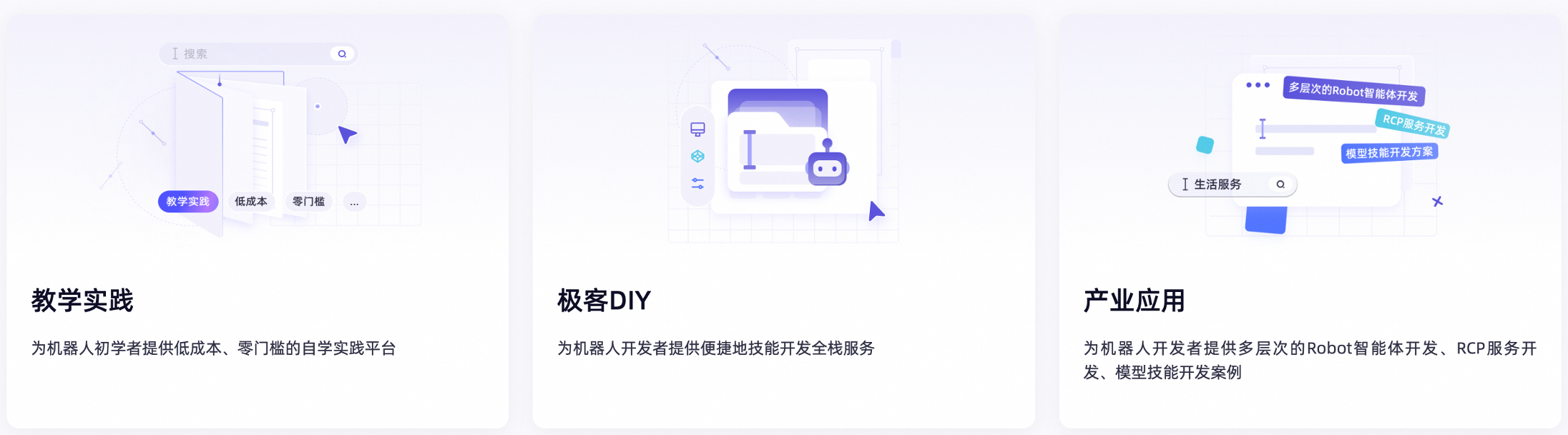
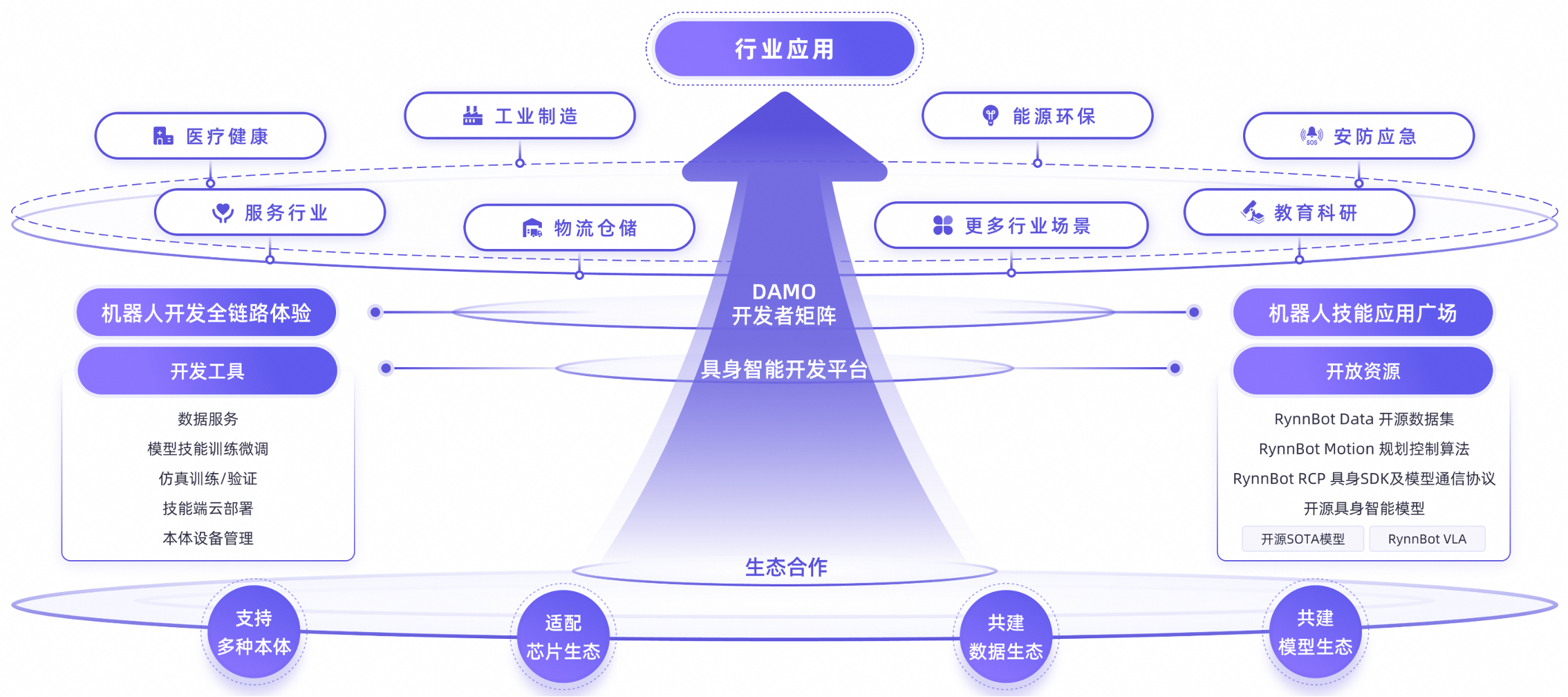
Step 3: Understand the backend basic pages
During the first experience, you can understand what these pages are for, but it is not necessary to explore them in detail. The device page focuses more on real robot integration and activation, while the agent page emphasizes task scheduling and conversational capability invocation. In other words, this part is not the main focus today, but it will help you understand that the platform is not just a collection of model demos; it ultimately deals with real system issues such as “how to manage robots and how to organize tasks.”
A fact often overlooked is worth noting for beginners here: the complexity of embodied AI platforms isn’t due to the many “pages” they have, but because they naturally sit between models and real systems. Device management corresponds to hardware access and operating objects, while agent management corresponds to task organization and capability orchestration. They may not seem like the most “eye-catching” parts, but they are precisely the layers that cannot be bypassed when the system is actually implemented.
Reference interface:
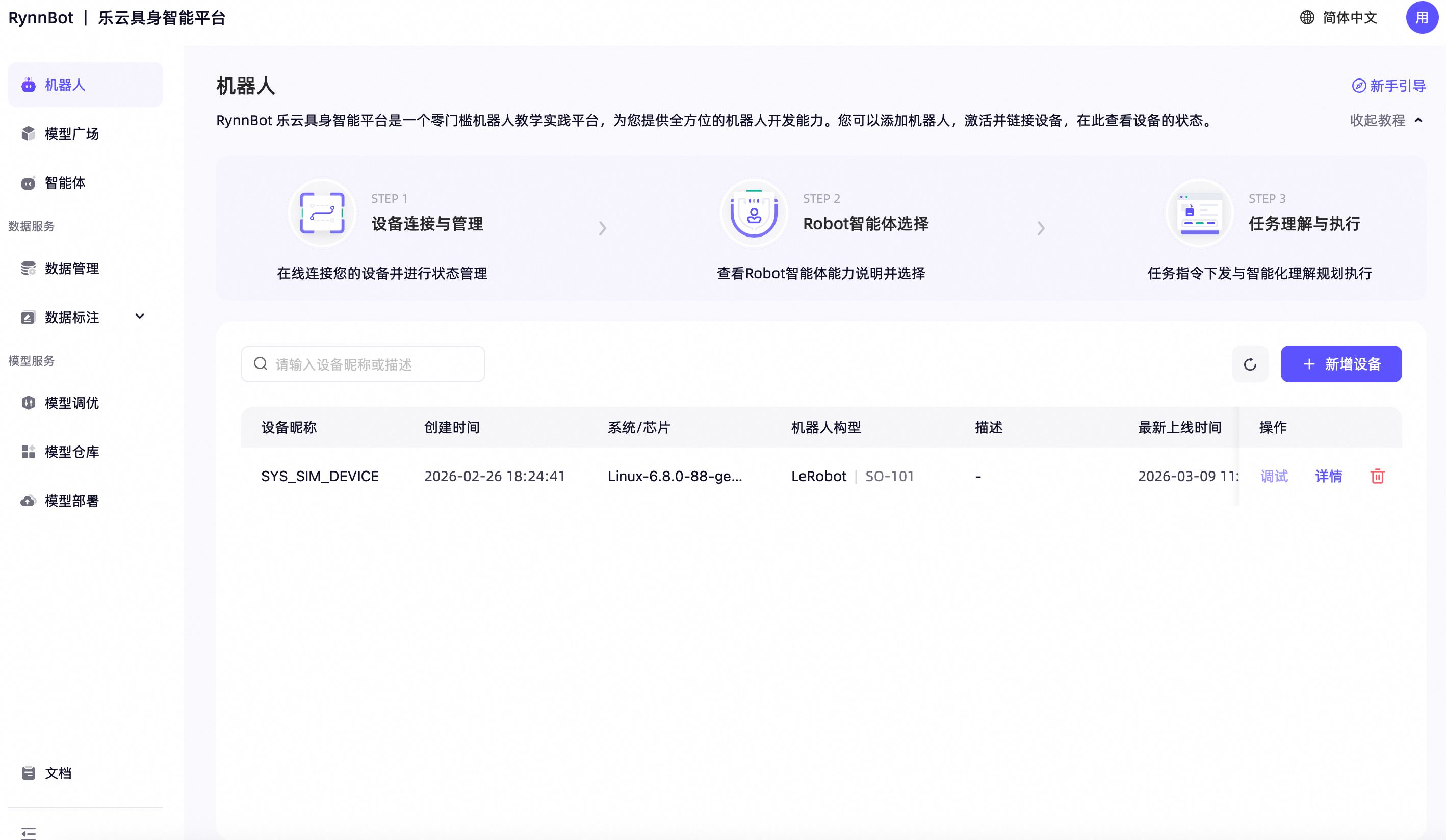
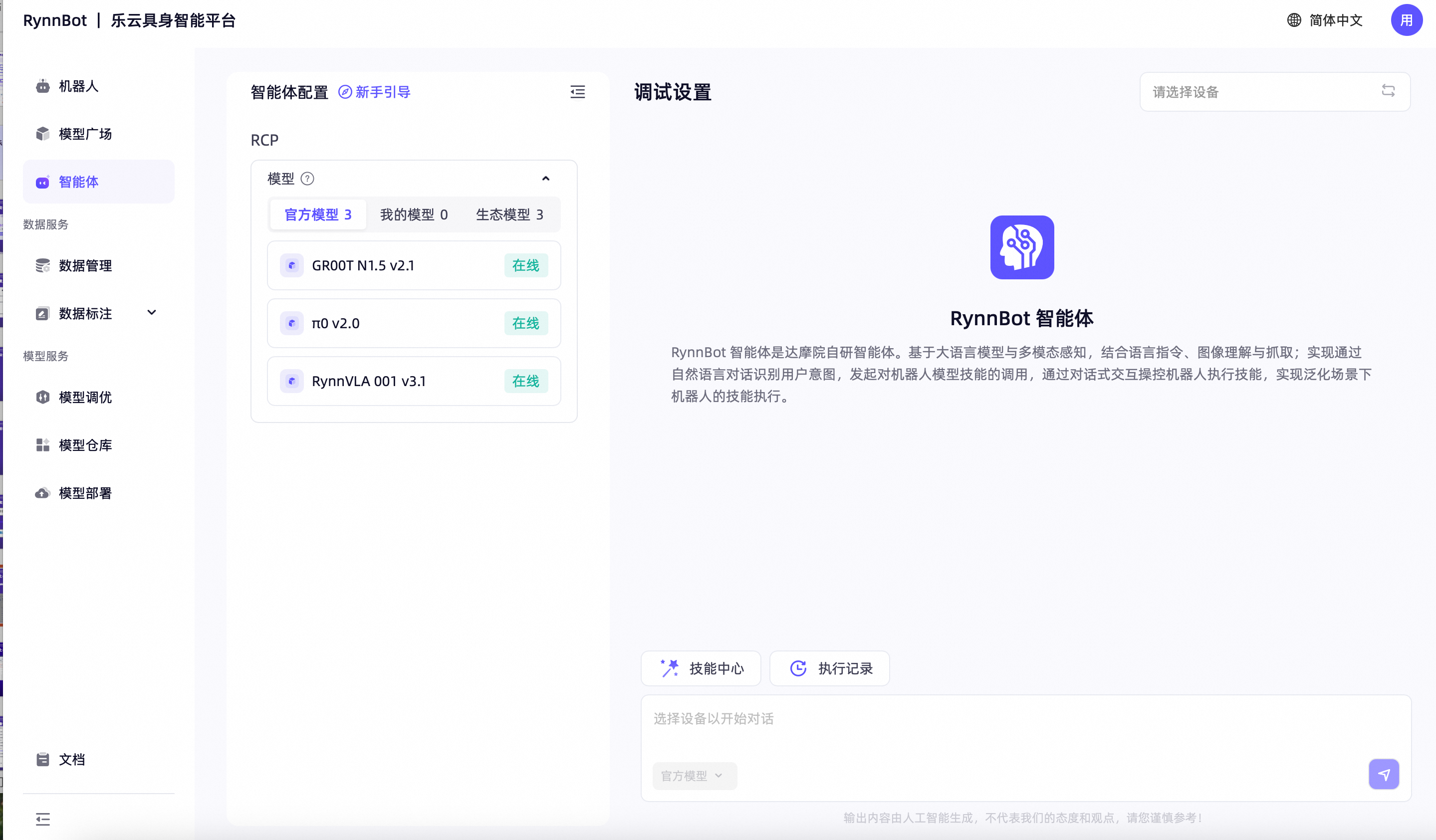
Step 4: Experience the simulation model debugging
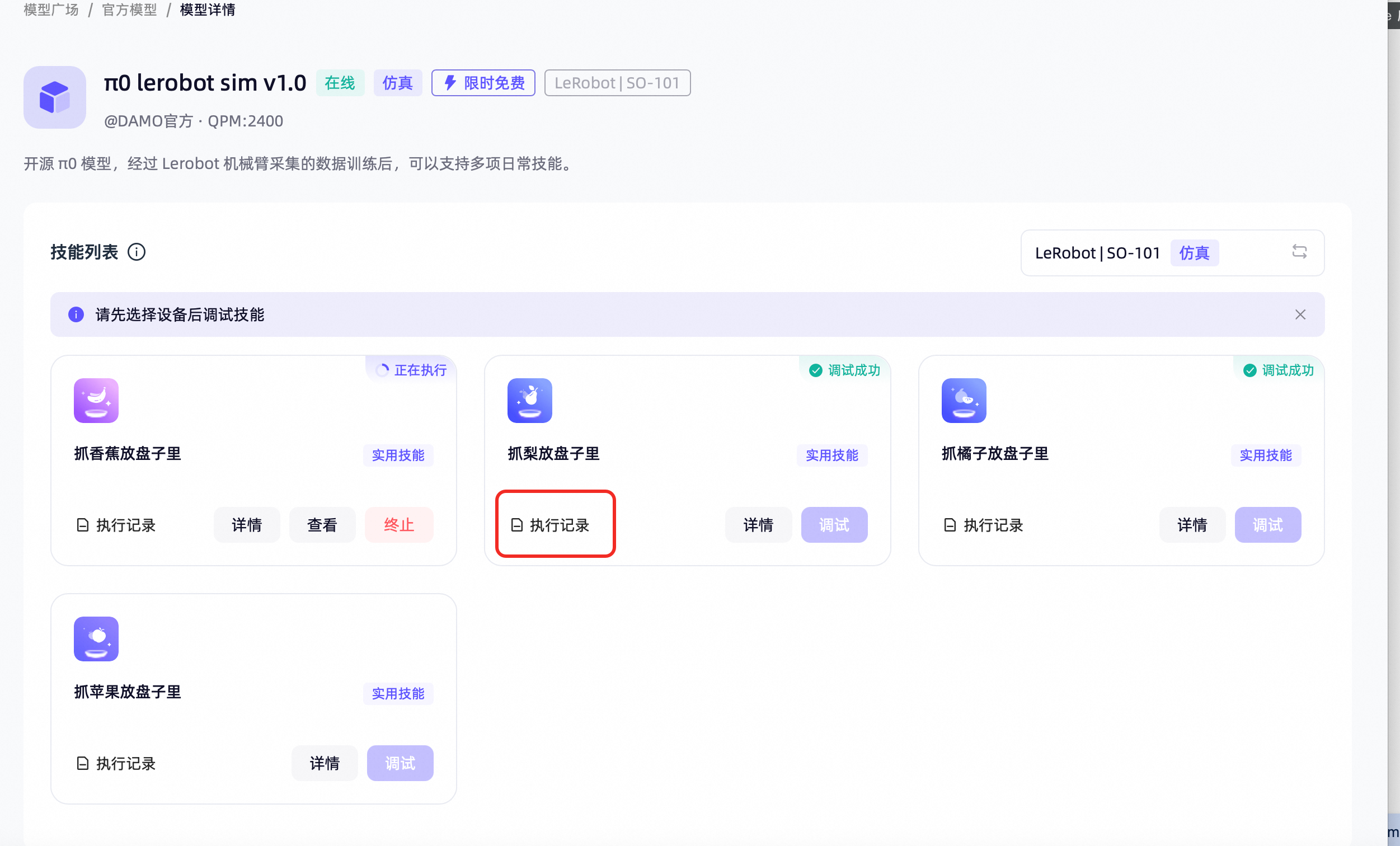
It is recommended to start with models that have a simulation environment. First, gain an understanding of what the “platform can do”, and then discuss the underlying principles.
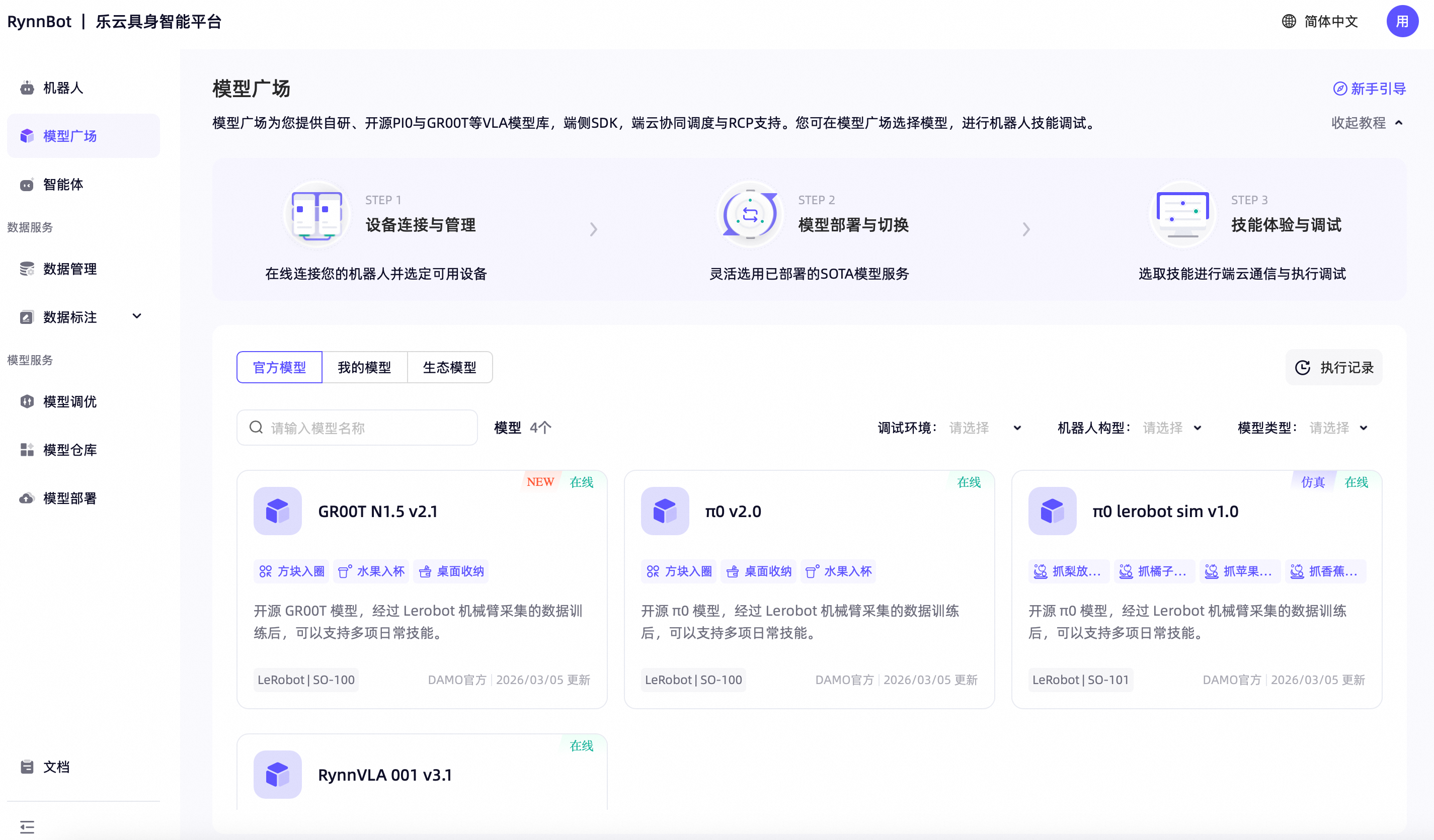
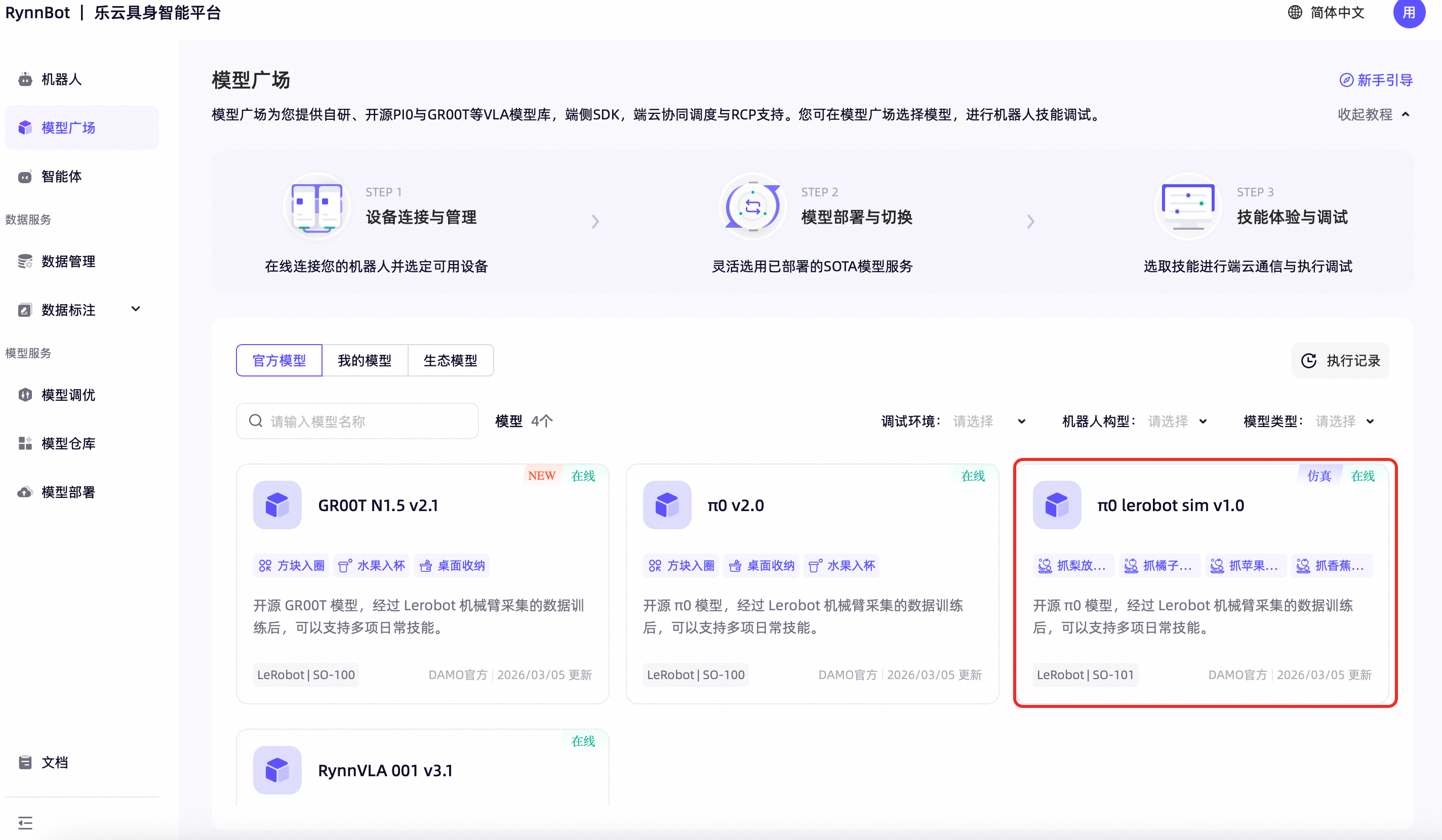
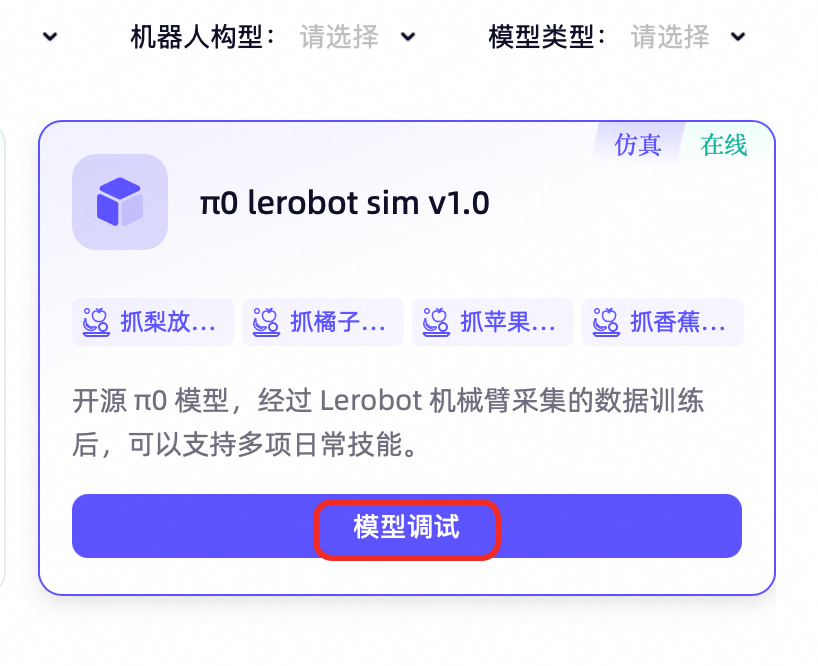
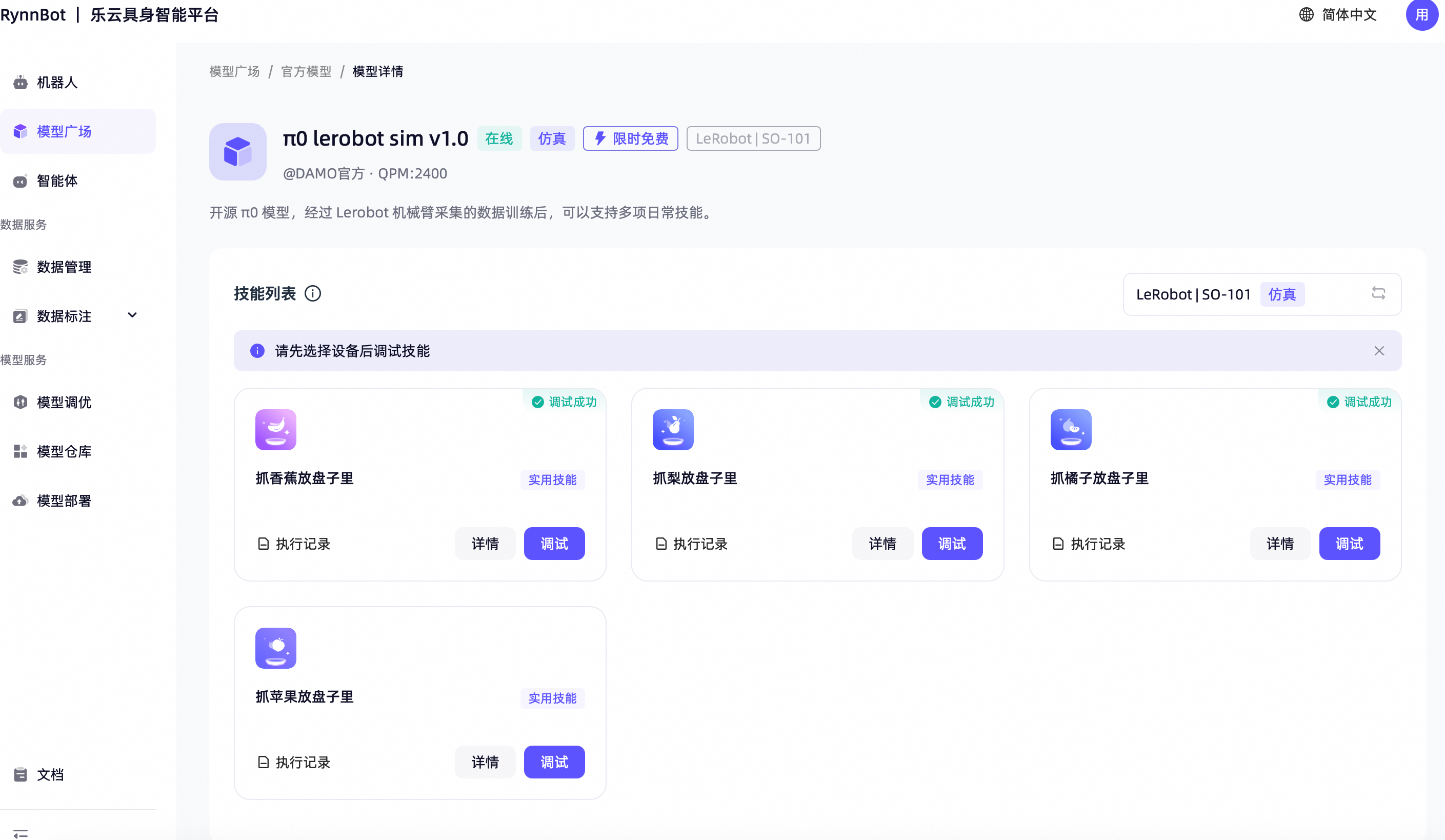
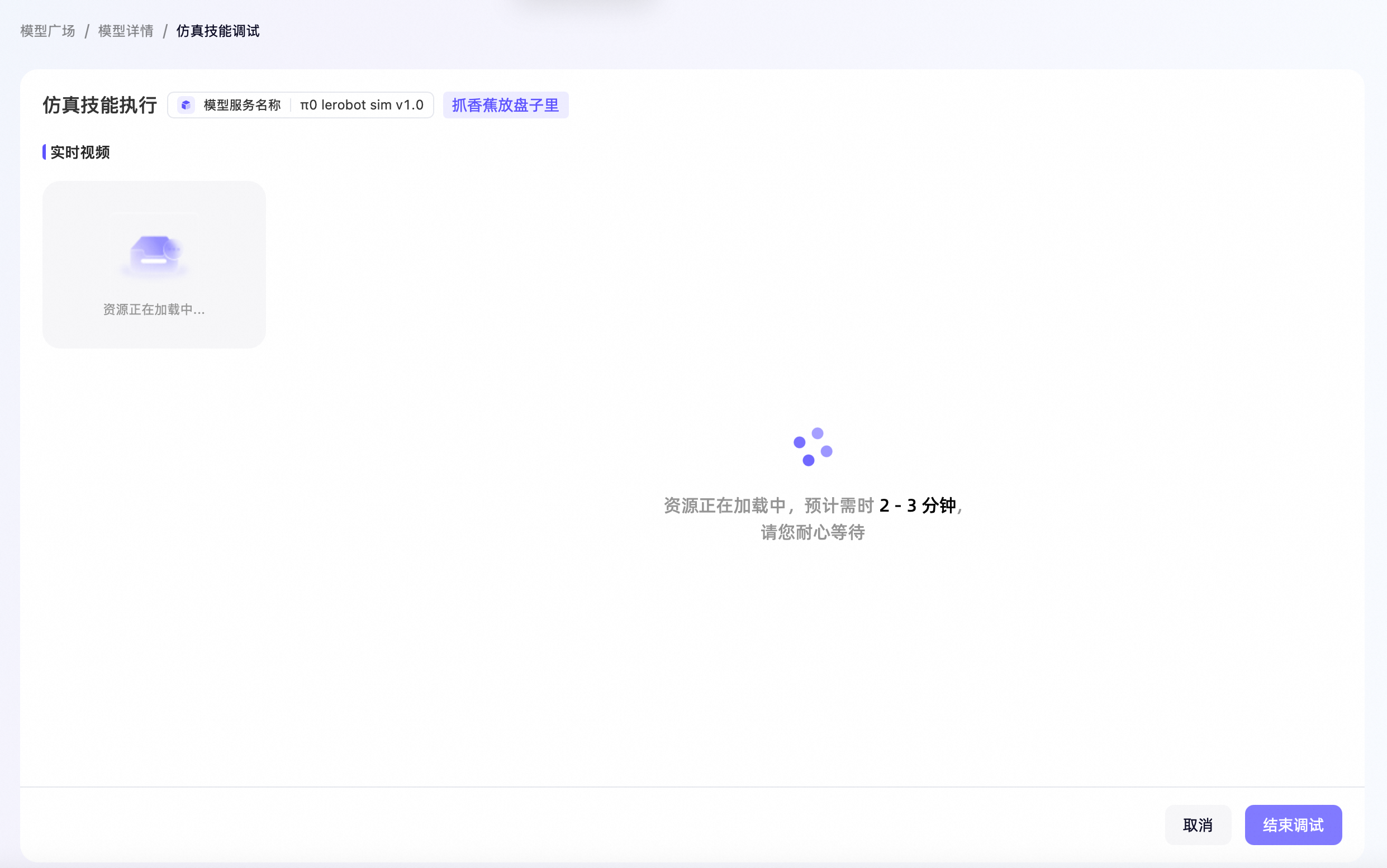
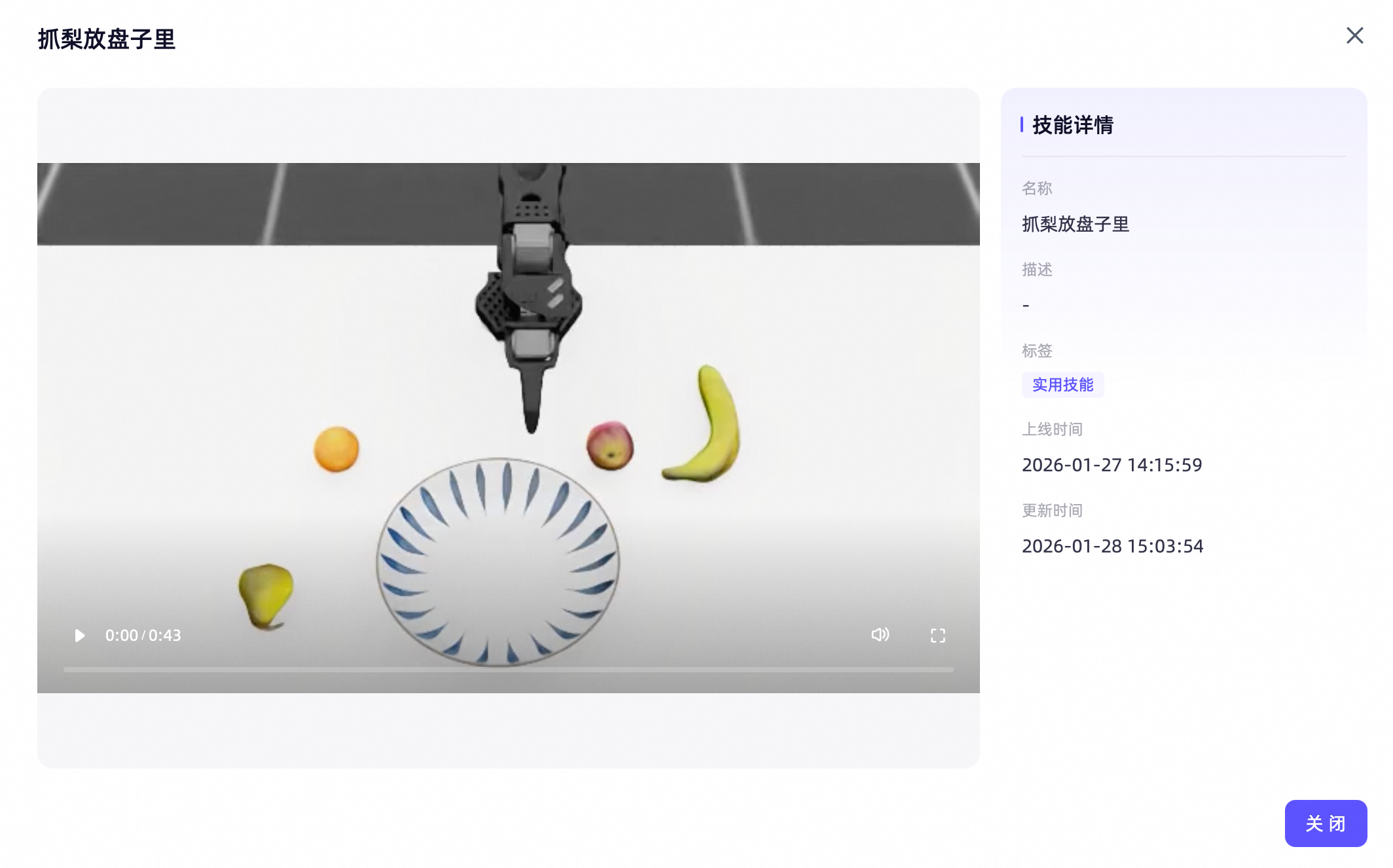
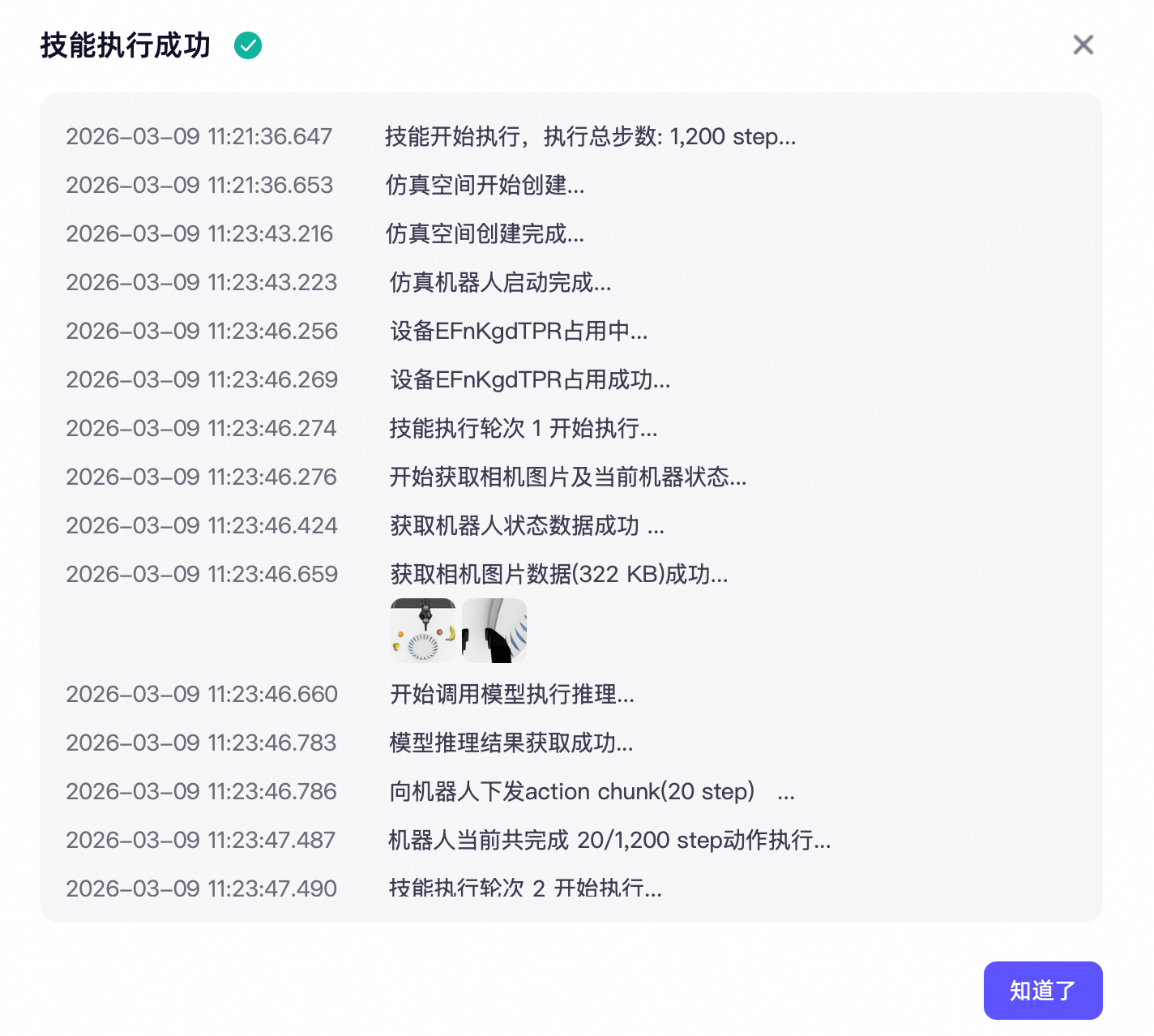
In this step, it is recommended that you focus on three aspects. First, identify which models are pre-installed in the platform, such as Pi0 and GR00T, and what tasks they are designed for. Second, understand the pages a skill goes through from loading to execution, which will help you grasp the true meaning of “model services”. Third, see how the platform replays and displays results after execution, as this directly relates to the judgment of whether the model has actually completed its task. You will find that “experiencing a model” is not simply clicking the run button, but involves at least several sequential stages: model selection, skill invocation, execution observation, and result review.
If we understand this step more deeply, it is actually helping you break down the broad term “model capability”. Learners usually say “this model can grasping” or “that model can navigation,” which sounds like a description of an outcome. However, in the platform, you will see that behind this result, there are at least several steps such as configuration, loading, execution, recording, and review. The textbooks intentionally include so many screen shots of interfaces here, aiming to make you realize that “capability” in engineering is never just a concept, but a whole process that can be tracked and verified.
Reference interface:
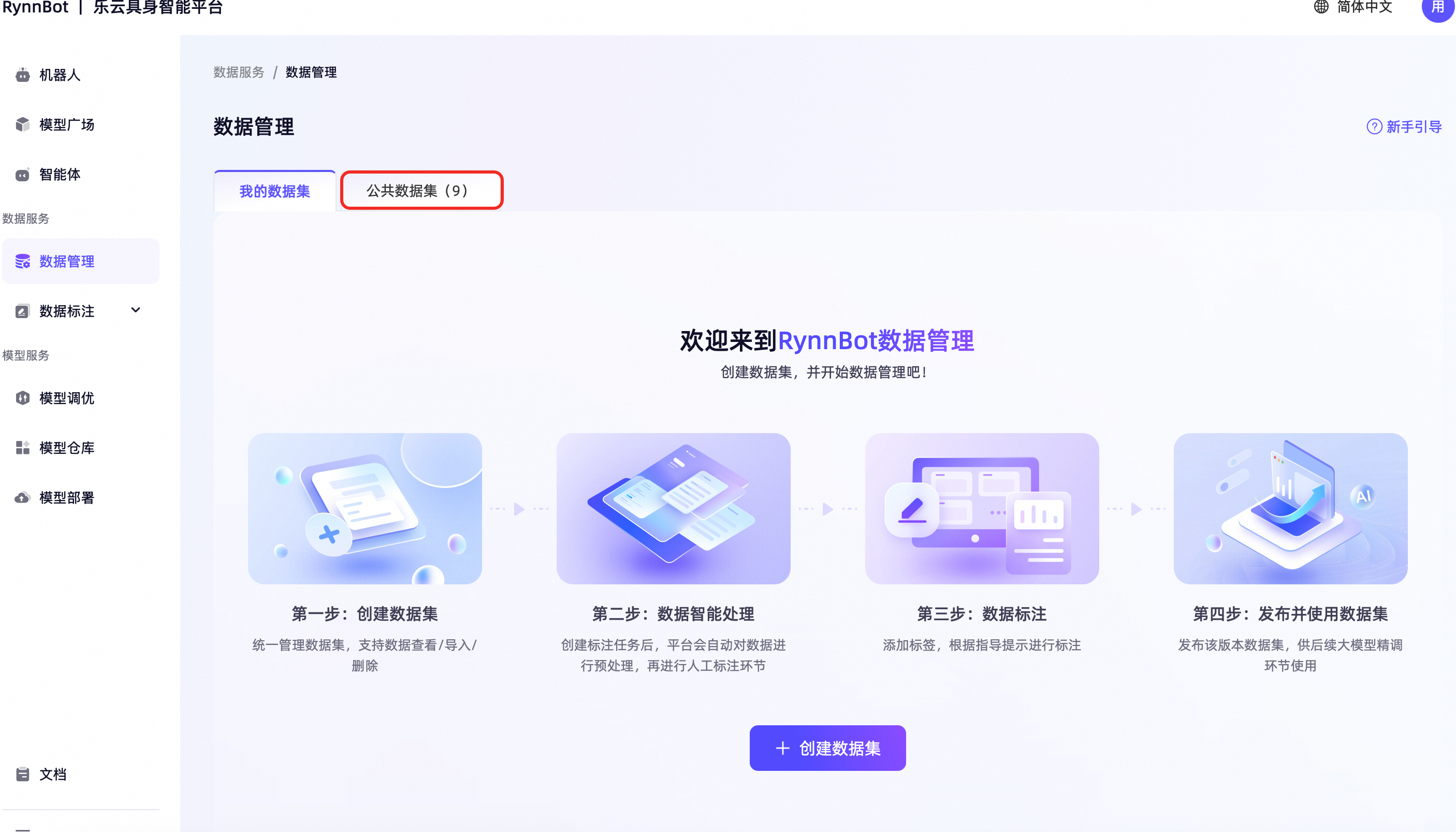
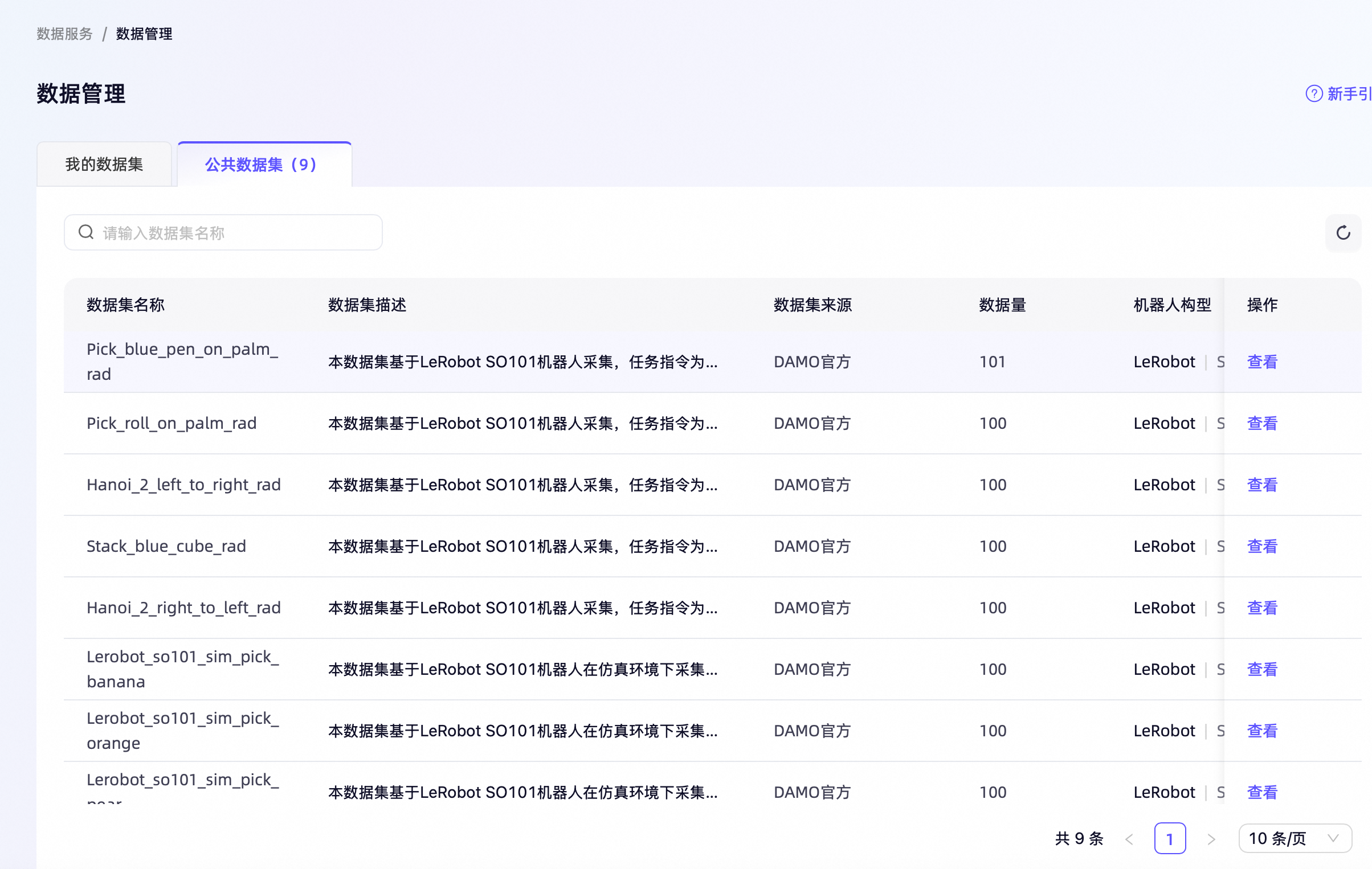
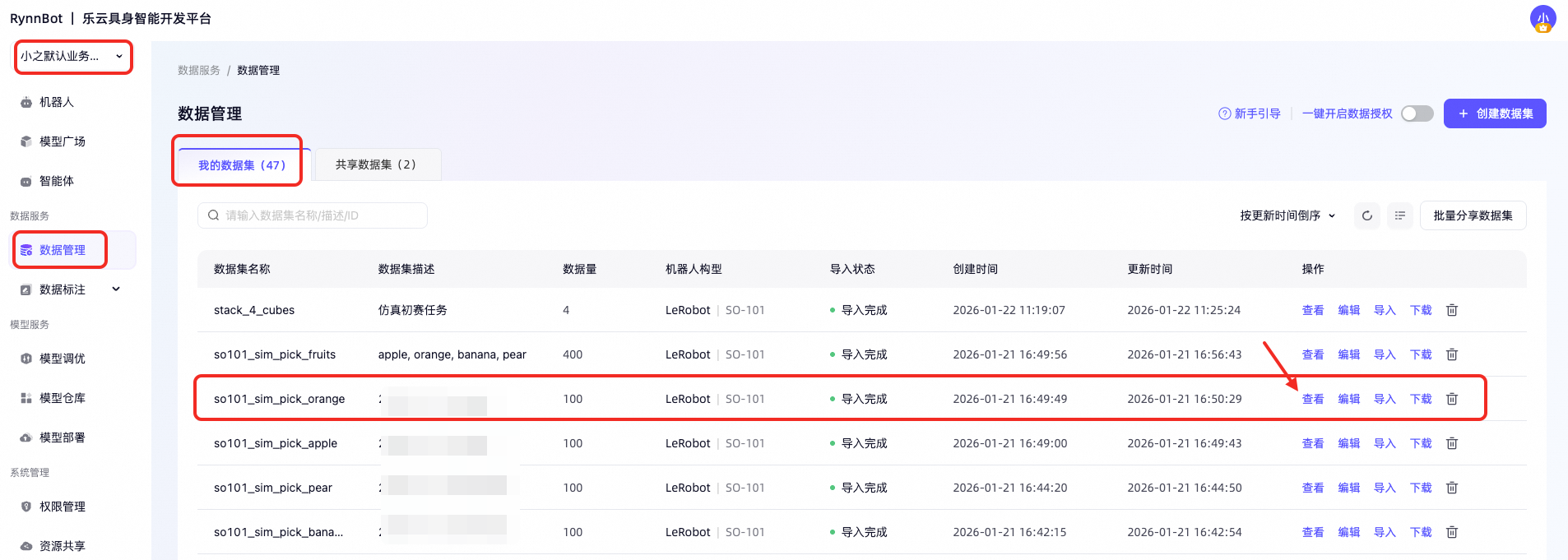
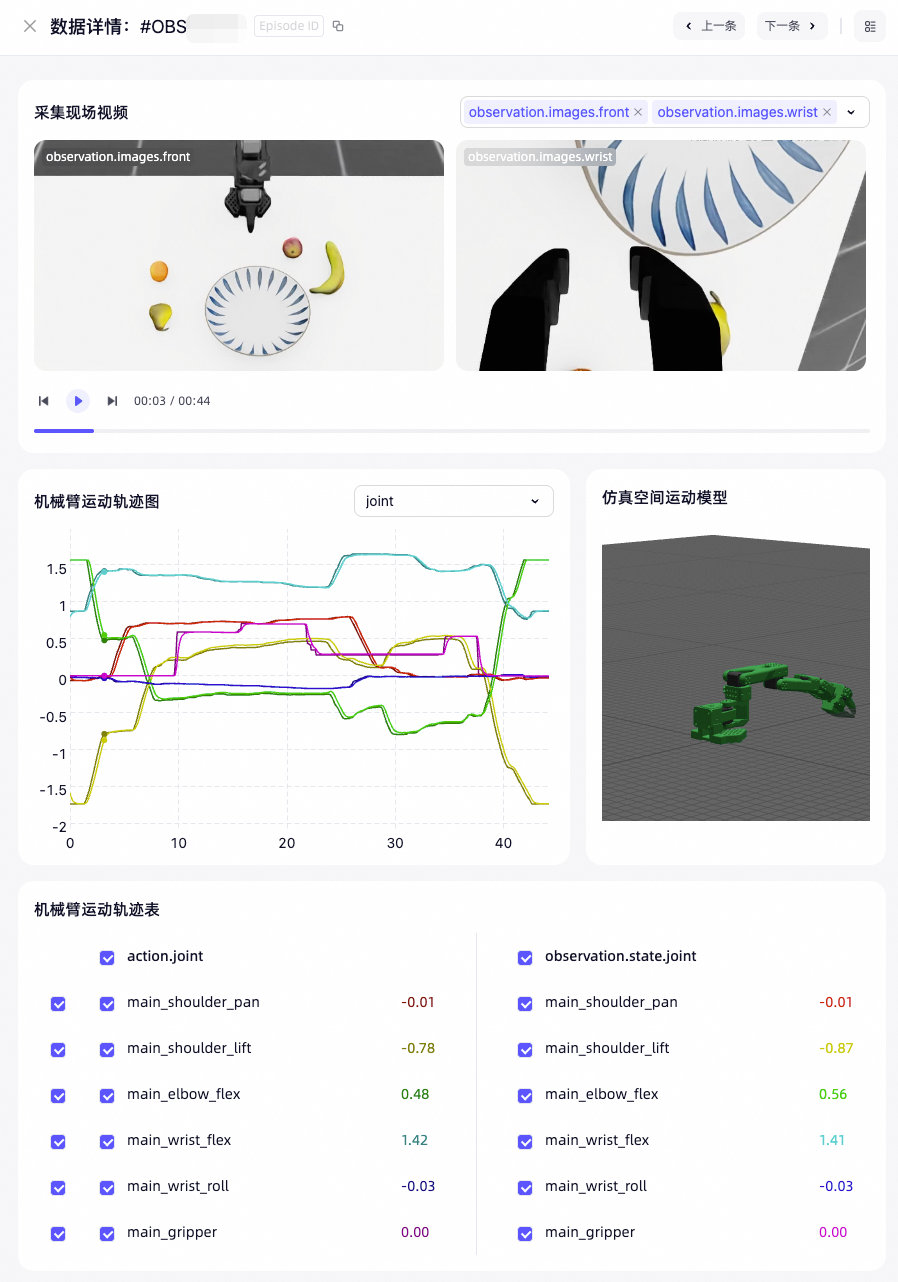
Step 5: View the dataset and data details
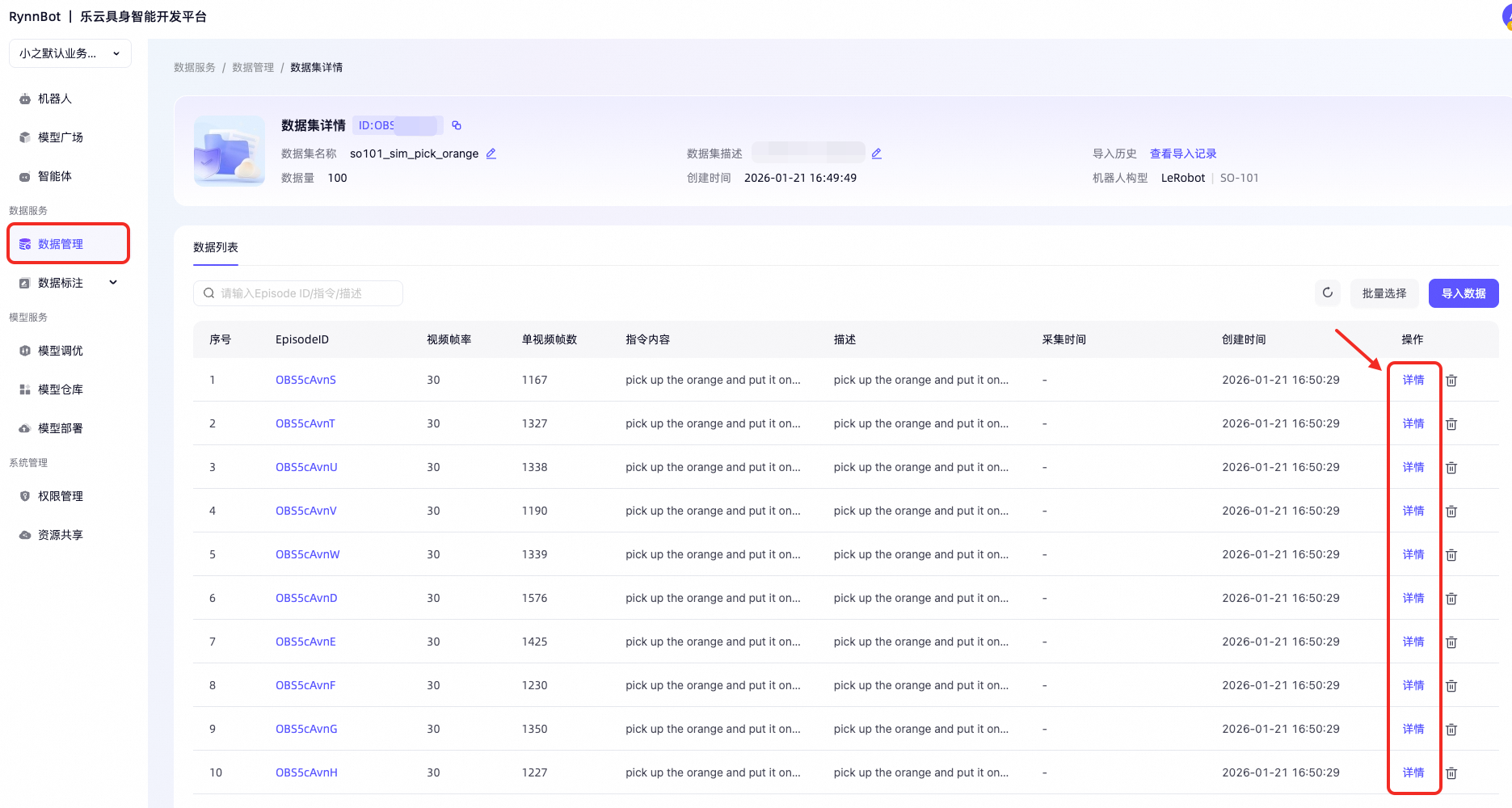
After completing one skill experience, when you look at the data management page, learners will be able to better understand “why data collection and model debugging are mentioned first.” At this point, you know that a model cannot work out of thin air; it requires data, training, and evaluation behind it. When you look at the data management page again, what you see is not just tables and fields, but the basic materials necessary for a skill to be trained.
This section suggests focusing on three key aspects: the organization of the dataset, the fields contained in each data entry, and how the platform integrates video, joint angle curves, and numerical information into a single viewing interface. The last point is particularly crucial, as it directly reflects the difference between embodied data and ordinary text data. For embodied tasks, the data is not individual sentences of text, but a time series composed of various information such as vision, motion, and embodied state.
This is also why many people who have worked on large language model projects feel unfamiliar when first encountering embodied data. Text data are usually discrete sentences or paragraphs, while embodied data is essentially a continuous process that unfolds over time. The success of an action often requires looking at the entire observation, posture changes, and control signals before and after execution. The platform presenting these pieces of information side by side is itself a very effective teaching method, as it turns “why embodied tasks are more difficult” into a visible fact.
Reference interface:
6. Optional Additional Experiences
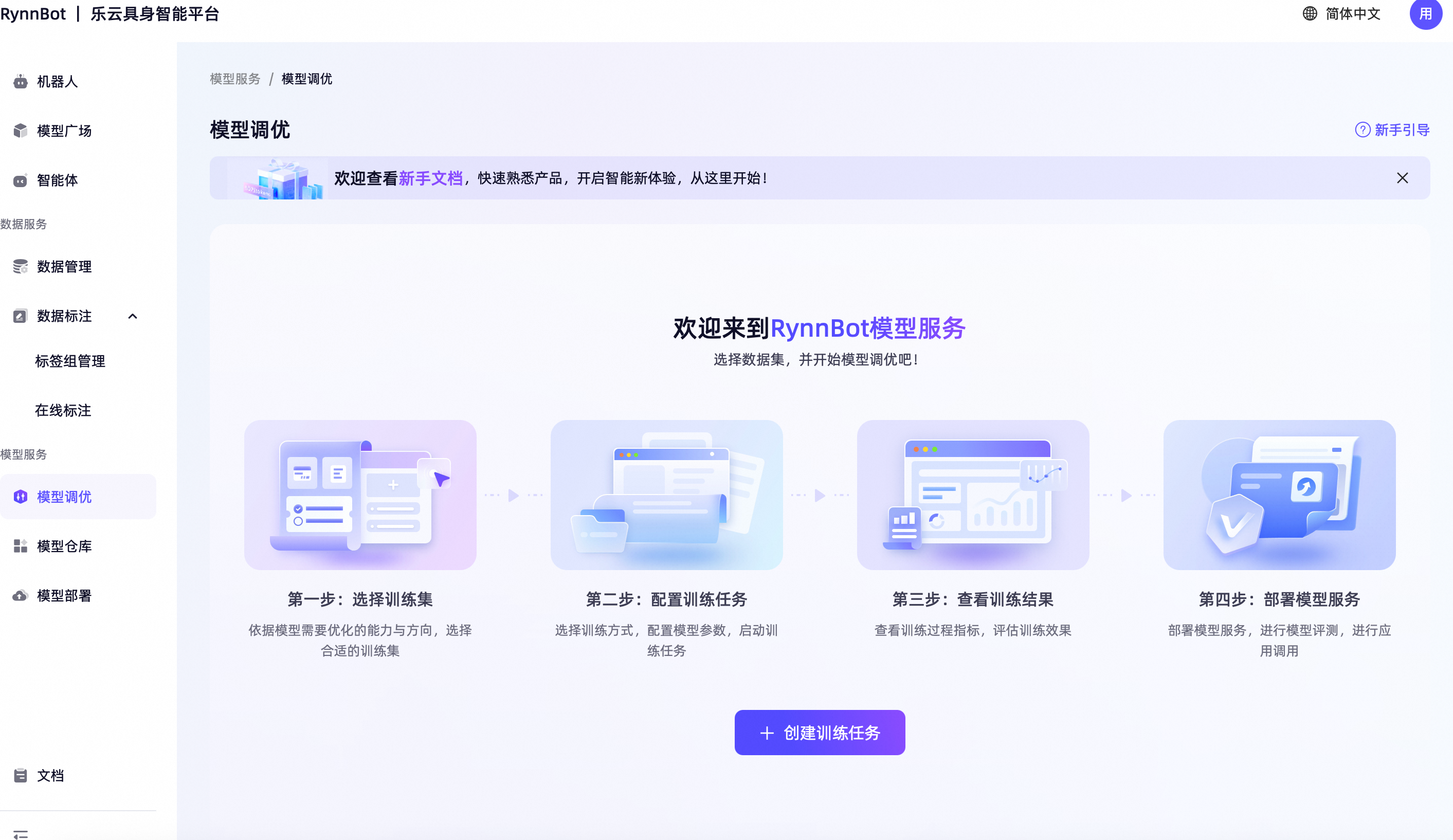
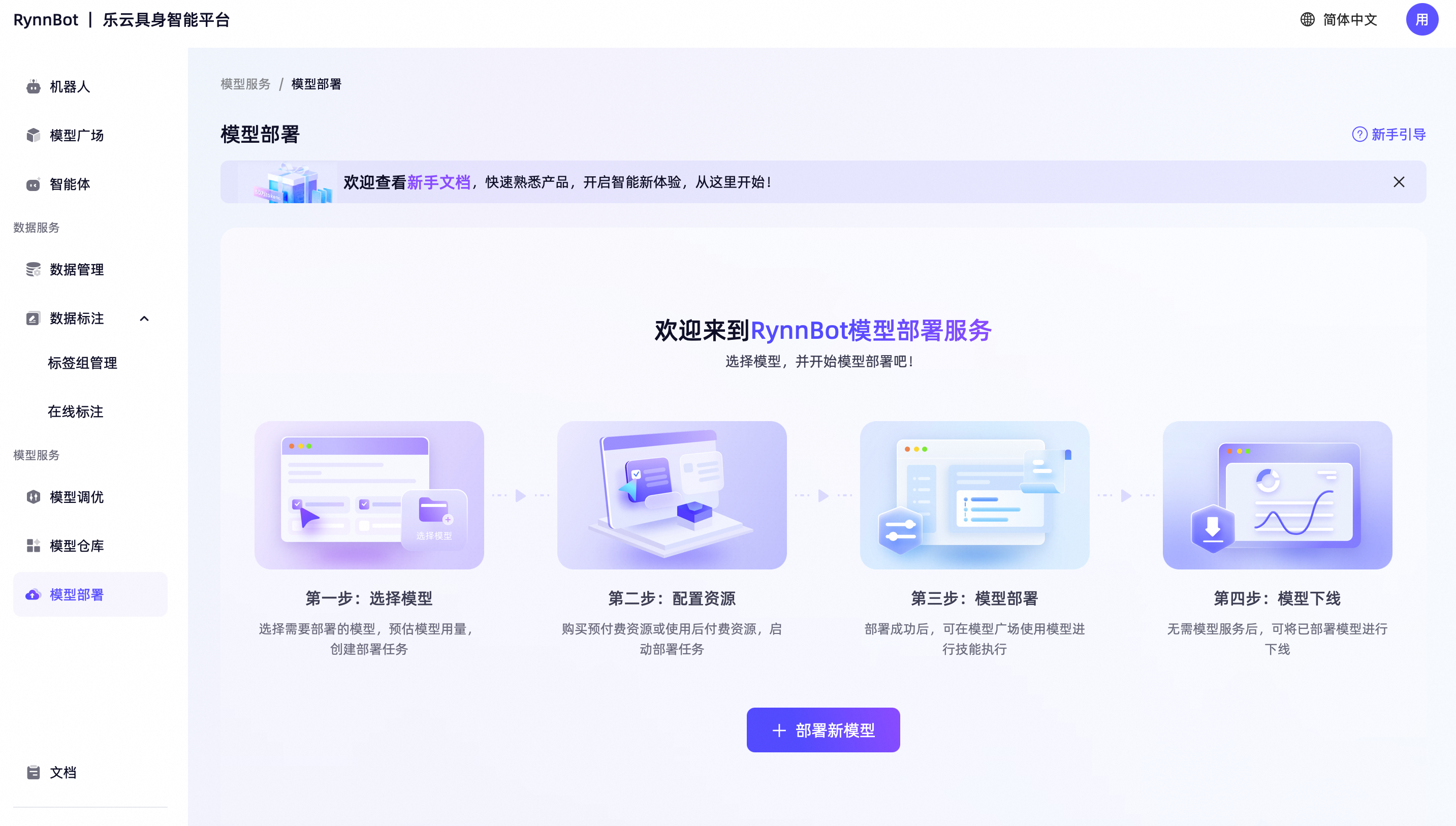
If time permits, you can also explore the model tuning entry and model deployment entry. This section is placed in “optional supplements” rather than as a main task because it focuses more on subsequent engineering expansions rather than core concepts that must be mastered today. For beginners, understanding how models are selected, debugged, and validated is more important than delving into detailed deployment aspects from the start. However, if you have a general understanding of the platform, taking a look at these two entries can help you more intuitively realize that embodied capabilities are not limited to demos, but are actually organized towards continuous optimization and official launch.
Reference interface:
7. What You Should Really Understand in This Section
Today, we are not asking you to learn how to deploy a complete robot system by yourself, but rather to truly understand the following:
Robot skills are not “the model suddenly learning something,” but are gradually formed through the entire process of data, training, debugging, and deployment.
If you have understood this, then when you later examine the open-source code, the VLA training, and the real dataset, you won’t just stay at a technical level. You will realize that behind each term lies a specific page, a particular data format, and actual engineering steps. This ability to connect abstract concepts with real processes is precisely the skill that beginners find most difficult to develop but is also crucial.
8. Key Actions and Check-in Tasks
The check-in requirements in this section should be as simple as possible, but they must indicate whether you have truly understood the platform flow. Please use a pre-set model in the LeYun simulation environment to complete a basic task experience, such as having the robotic arm perform grasping or movement operations. The manipulation entrance can be directly accessed from Model Plaza.
After completing it, submit a screenshot of your skill debugging on the Leyun platform, along with a 100-200 word description. It is not necessary to write a long paragraph; what matters is whether you can explain the process in your own words. You can choose any perspective, such as what you understand about the platform process, what each component—data management, model marketplace, and model services—do, or what you think is the most significant barrier the platform has. As long as it shows that you have viewed the “page” as a “process,” this practical exercise is successful.
9. Extended Reading
-
Introduction to GR00T: Isaac-GR00T README
-
Simulation and deployment-related sections: Other Embodied AI Simulation Tools and Frontier Simulation