
MicroDuck Embodied AI Topic Team Learning: Recruitment for Participants
Entering Embodied AI with a duckling
Walking, standing on stilts, swinging on a swing, maintaining balance while standing on a basketball, then climbing the ladder step by step and flipping over a tabletop—and even understanding commands like “go to the armchair” to find an object in the room—these interesting tasks can all serve as starting points for learning embodied AI.
This time, Datawhale invites everyone to learn about robot models, physical simulation, reinforcement learning, motion control, visual language navigation, and on-device deployment around the interesting open-source duck named MicroDuck. By applying abstract concepts to specific tasks: Why can it stand still? How does it know which foot to step on next? After wearing stilts, why does its original movement need to be adapted again? And how does a verbal command turn into its movement trajectory in the room?
We will start by running a task, following the Notebook to read the model, modify parameters, adjust the policy, and observe the results. Then, we will integrate the movement policy into the BPU of the sweet potato RDK X5. For the navigation task, we will directly use the pre-trained LightNav-0 on the workstation GPU to experience how images and language drive the duckling’s actions. Along the closed loop of “environment and body observation → policy decision-making → action execution → feedback acquisition”, we will understand how embodied AI interacts with the physical world.
If you are willing to help others understand a task or run a piece of code successfully, you are welcome to become a learner in this special topic. Also, learning partners who want to practice while learning and contribute to improving the tutorial are also welcome.
Task Demonstration
There is a demonstration for each task below; for more versions, see the demonstration overview . For the environment setup, policy training, and deployment steps, refer to the topic README and the Notebook entry .
| 1. Walking and obstacle avoidance | 2. Basketball balance | 3. Stilt walking |
|---|---|---|
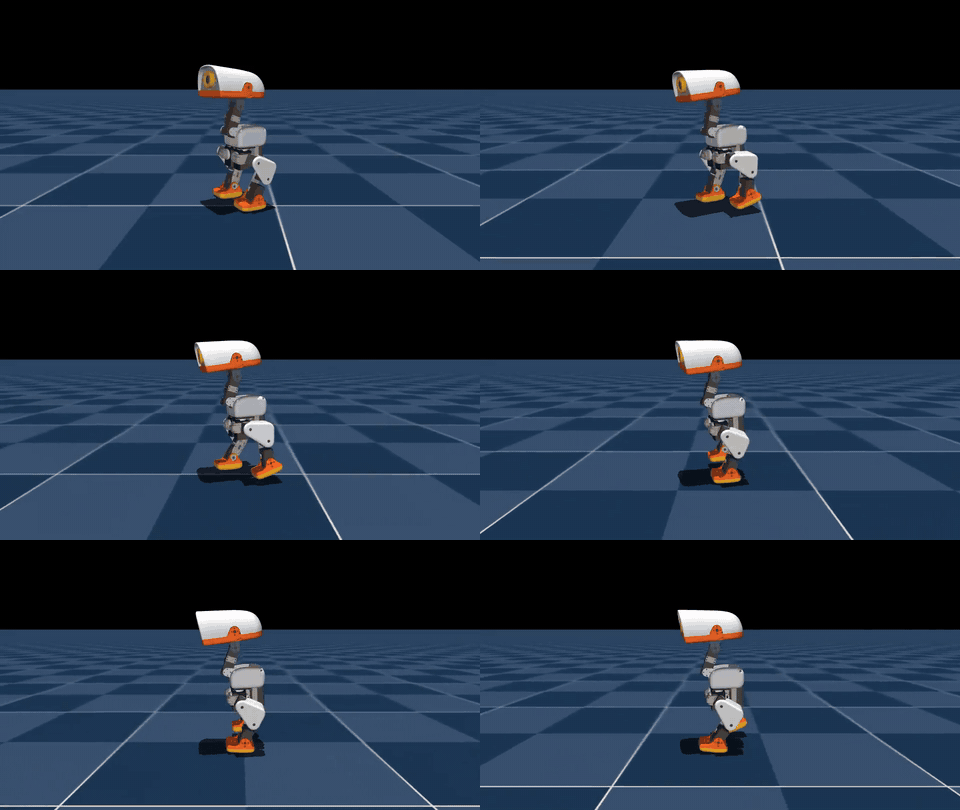 Walking on flat ground |
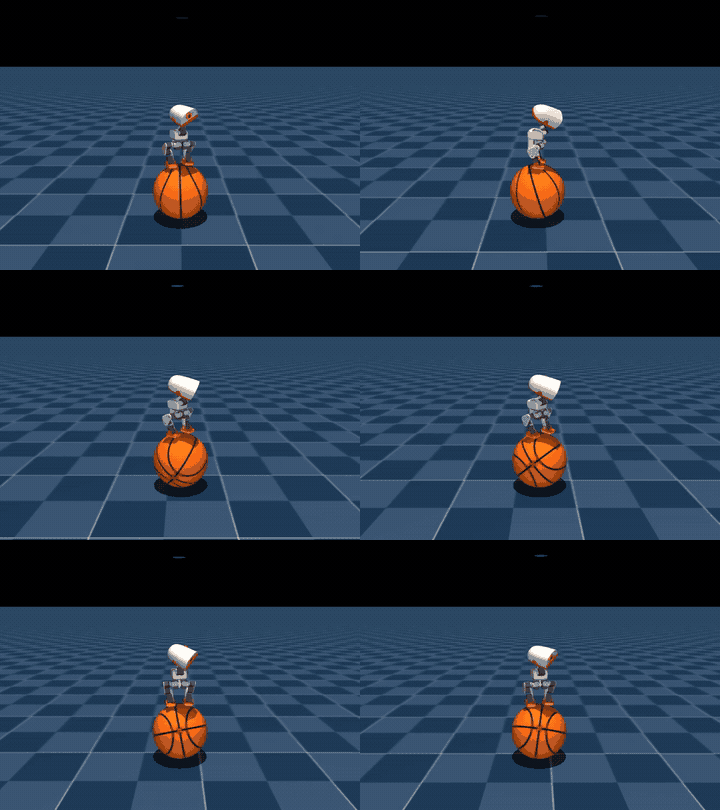 Maintaining balance while playing basketball |
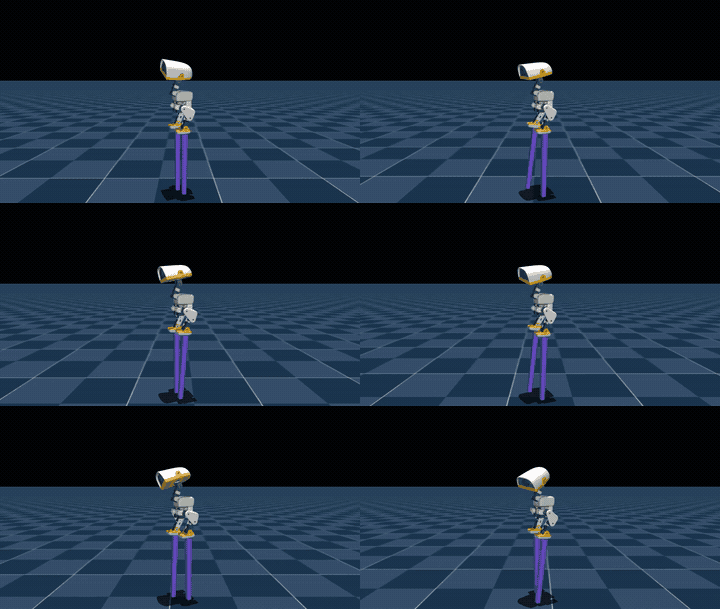 Walking on 25 cm stilts 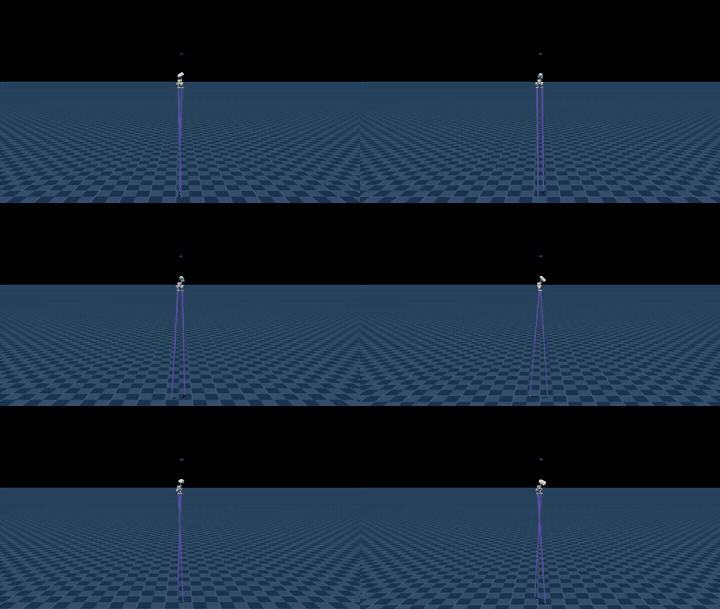 Walking on 200 cm stilts |
| 4. Swinging and rotation | 5. Ball balance | 6. Climbing on a ladder |
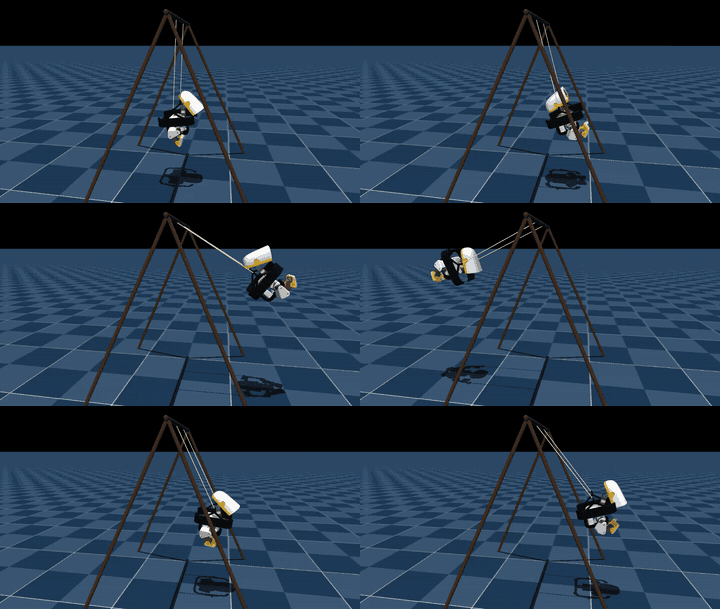 Swinging and spinning |
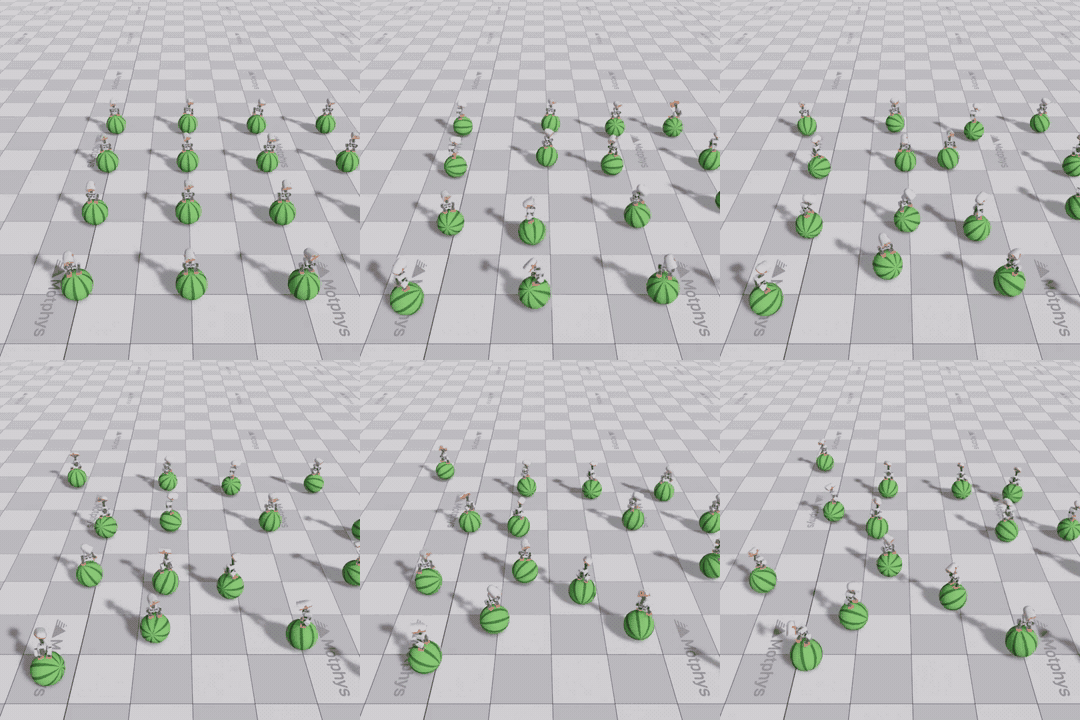 Ball surface balance training |
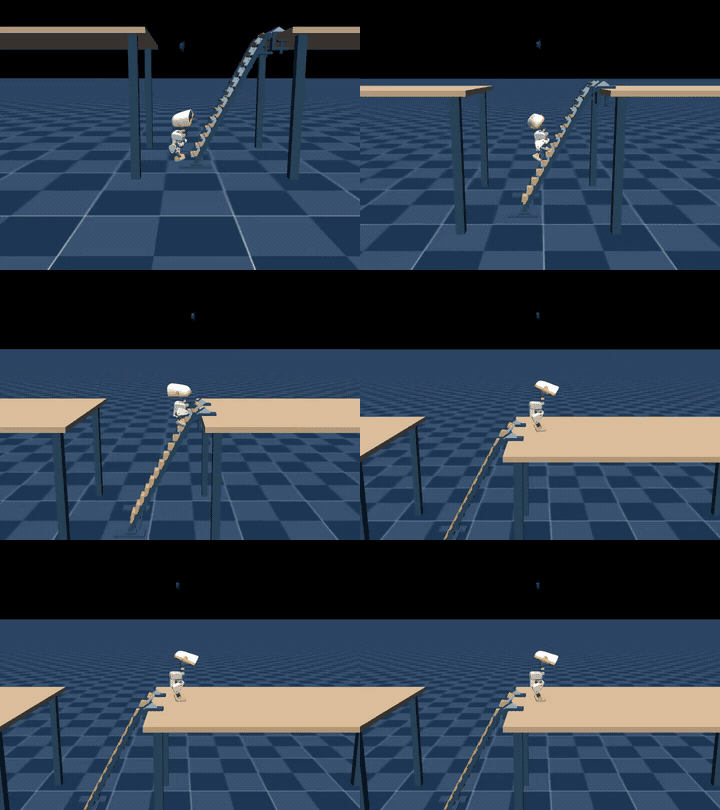 Climbing ladders step by step, standing firmly on the table |
| 7. Browser physical disturbance | 8. RDK X5/BPU reasoning | 9. LightNav-0 visual language navigation |
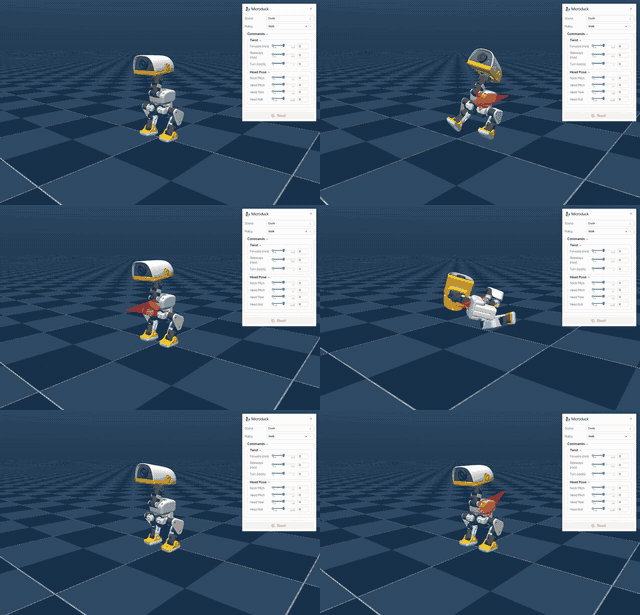 Dragging and external force interaction |
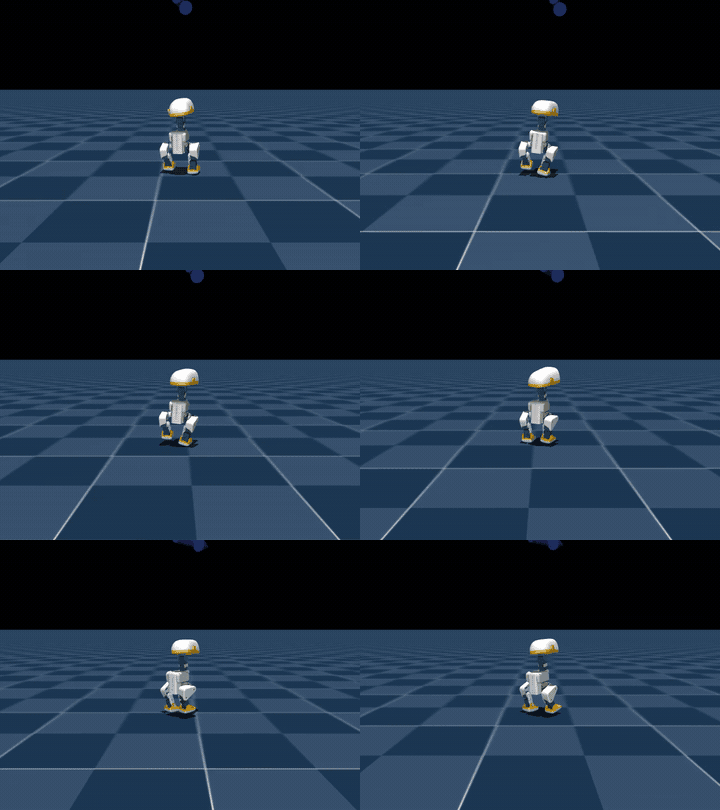 Board end reasoning, simulation walking |
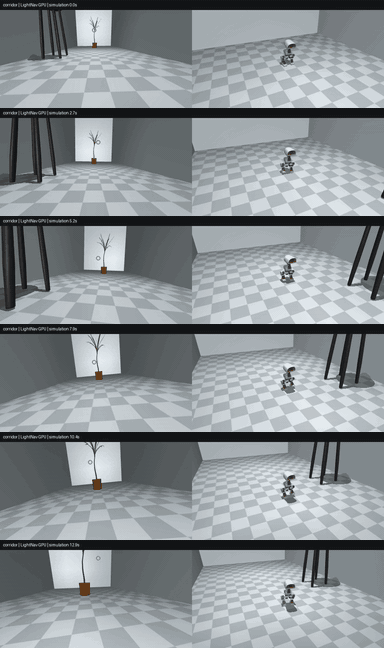 Following instructions, searching for potted plants in the corridor |
Follow instructions and navigate between different rooms
Take another step forward in motion control: have the ducklings read the first-person view images and search for targets based on language commands. The 8th LightNav-0 Multi-scene Navigation Notebook has been saved with execution output, containing three independent GPU navigation demonstrations.
| Official Residence | Self-constructed Living Room | Self-constructed Corridor |
|---|---|---|
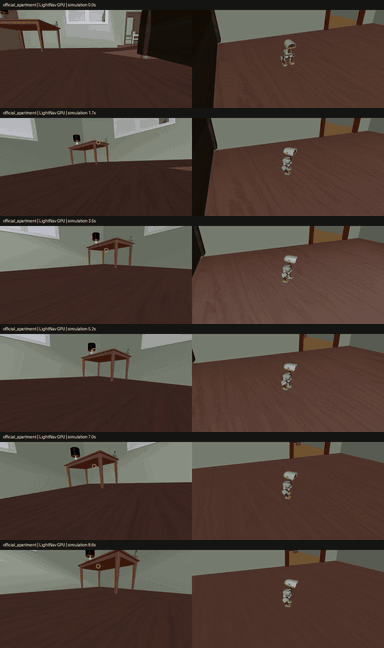 Find the left table in the residence |
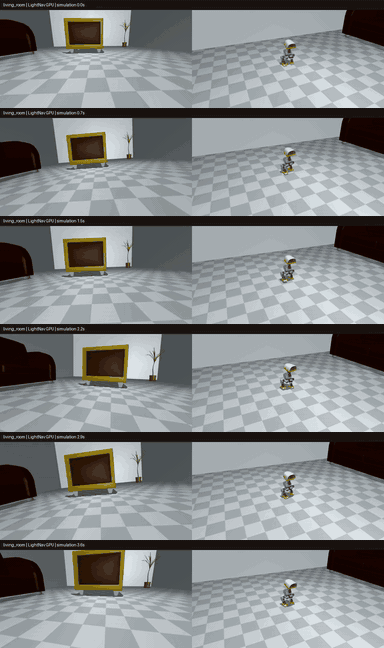 Near the armchair in the living room |
Look for potted plants in the corridor |
What to Learn Together
| Learning Direction | Issues to Understand | Hands-on Practice |
|---|---|---|
| Robot Model | How joints, actuators, mass, and collisions affect motion? | Read MJCF to understand the duck body structure and control interface |
| Physical Simulation | Why it slips, wobbles, and falls, and how stable support is formed? | Create scenes in MuJoCo, observe contact, apply external forces, and record videos |
| Reinforcement Learning | How does a policy learn actions through rewards? What do Actor and Critic do? | Understand PPO, SAC/FastSAC, run small-scale training, adjust rewards and curriculum |
| Motion Control | How current observations and historical states become joint actions? | Compare MLP and LSTM, examine observations, normalization, action filtering, and control frequency |
| Task Orchestration | When to stand up after climbing a ladder? How different skills are chained together? | Understand task state machines, transition conditions, and multi-policy scheduling |
| Visual Language Navigation | How images and a command become a movement path? | Integrate LightNav-0, understand trajectory prediction and MPC control, modify room layout and compare with videos and trajectories |
| Edge Deployment and Evaluation | How a trained model runs on a development board, and how to check its performance? | Export ONNX, compile HBM, run RDK X5 BPU inference, compare videos, stability time, and latency |
How to study together
-
First, get to know the ducklings. Watch the task demonstration, understand the robot model, run an existing policy, and observe the relationship between body state and movements.
-
Then, modify a task manually. Choose a direction from basketball balance, stilts, swinging, or ball balance, adjust commands, rewards, or environment settings, and record the changes.
-
Complete training and evaluation. Training tasks can start from scratch or continue using a pre-trained model; first verify sampling, updating, and saving, then check the performance of movements using task metrics. The walking mechanism is directly connected to the existing policy.
-
Connect the motion model to the development board. First generate GPU inference videos, then compile the model and perform BPU inference, so that simulation and the board form a closed loop control.
-
Let the ducklings follow instructions for navigation. Directly connect the pre-trained LightNav-0, experience three scenarios on the GPU, modify language commands or furniture layouts, and observe model predictions, trajectory, and stopping positions.
-
This notebook is organized by tasks, storing unit outputs for easy reference during explanations, comparison of results, and repeated experiments. The climbing task breaks down the dual policy switching process of “climbing → reaching the table → standing up”; the navigation task presents a hierarchical workflow of “image and language → route prediction → walking control”. There is no need to train a navigation model or connect a development board.
8-Day Study Schedule
Read a notebook every day and learn and practice around an interesting task. For a complete schedule, see 8-day study plan .
| Days | Topics | What was learned and done on that day |
|---|---|---|
| Day 1 | Basketball Balance | Recognize robot models, observations, and actions; understand PPO and Actor-Critic |
| Day 2 | Browser Physical Disturbance | Observe contact and external forces; complete a physical interaction experiment |
| Day 3 | Stilt Walking | Understand shape courses and smooth motion; record a set of parameter comparisons |
| Day 4 | Swinging and Rotation | Learn task rewards and action rhythms; observe the effects after modifications |
| Day 5 | Ball Balance and FastSAC | Run small-scale training, export models, and conduct simulation evaluations |
| Day 6 | Climbing on a Ladder | Implement two strategies: climbing and standing up; analyze skill switching |
| Day 7 | RDK X5 and Multiple Strategies | Integrate existing motion strategies; complete BPU inference practice and task switching |
| Day 8 | LightNav-0 Visual Language Navigation | Connect GPU to pre-trained models; experience residential, living room, and corridor environments; observe language commands, predicted trajectory, and navigation videos |
Training tasks start with small-scale training or continuous training. Walking/navigation directly integrates into the existing policy, and understanding and practicing are carried out step by step as the task progresses.
What can be done after learning this
- Explain how the duckling’s observation, policy network, and joint movements are connected, and understand the code for a robot motion task.
- Complete a training session or continue training, export the model, and conduct simulation evaluation, while keeping your Notebook, task videos, and experimental records.
- Analyze the reasons for failures based on contact, posture, and motion changes, and adjust rewards, courses, or control parameters accordingly.
- If a development board is available, run the RDK X5 BPU inference to compare task performance between GPU and BPU.
- Integrate a visual language navigation model, linking language commands, camera images, trajectory predictions, and walking control to create your own navigation scenario.
What to Do with the Trainees
You can choose a task or direction that interests you, and there is no need to be responsible for everything alone:
- Task Learning: Guide everyone to run the Notebook and explain the principles, code, and experimental steps through videos.
- Training and Evaluation: Organize rewards, courses, model selection, and task metrics, and help analyze the effects of each change.
- Deployment Practice: Complete ONNX export, HBM compilation, and RDK X5 inference, and prepare the environment and common issues.
- Navigation Practice: Introduce LightNav-0, design language commands and room layouts, and explain how navigation and motion control work together via videos.
- Tutorial Collaboration: Add illustrations, experimental records, and explanation materials to make it easier for subsequent learners to follow.
RDK X5 Practice
This topic uses the sweet potato RDK X5 as a edge-side practice platform: the workstation runs simulation and rendering, and the BPU calculates and returns actions during the control cycle. Training is conducted on the workstation/GPU, and after being exported as ONNX and compiled with HBM, the model is deployed on the development board. You can personally follow the process of “training → export → compilation → inference → evaluation”.
Who is it suitable for
- Want to get started with embodied AI and reinforcement learning through a specific and interesting robot project.
- Have basic Python knowledge, willing to run code and record results, and gradually understand robot models and control systems.
- Have experience in machine learning, robotics, or embedded systems, and hope to participate in leading, training, deployment, or tutorial creation.
There is no physical MicroDuck, but you can also start learning about code and simulation using RDK X5. Formal training requires Linux/Ubuntu and a suitable GPU; without a GPU, you can begin with reading, model inspection, inference of existing models, and small smoke verification.
Participation Methods
- Learning format: Team-based learning, promoting collaboration around the repository Notebook, code, and experiment records.
Welcome to join with curiosity, an action you want to achieve, or some code that hasn’t worked out yet. Let the ducklings learn one more action, and let us understand more about embodied AI.